Windows 11 KB5089573 update boosts PC speed and responsiveness
▼ Summary
– Microsoft is rolling out optional update KB5089573 for Windows 11, focused on performance and reliability improvements under its K2 initiative.
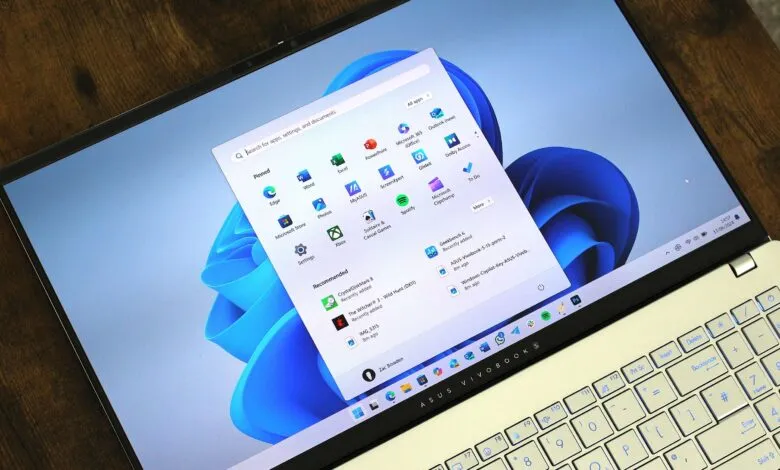
– The update accelerates app launches and core shell experiences like Start menu, Search, and Action Center.
– Performance gains come from a “Low Latency Profile” that briefly maxes out CPU frequency, reportedly speeding up flyouts by up to 70% and app launches by up to 40%.
– The performance improvements are rolling out gradually, so users may not see them immediately after installing the update.
– New features include sharing Bluetooth with two devices at once, naming a device during setup, and Task Manager updates.
Microsoft is now delivering a new optional update for Windows 11, designated KB5089573, which focuses on making the operating system feel faster, more responsive, and more reliable. This release marks a key milestone under the company’s internal Windows K2 initiative, a dedicated effort to address longstanding user complaints and deliver foundational improvements to the OS.
According to the official changelog, the update delivers general performance enhancements that “accelerates app launch and core shell experiences such as Start menu, Search, and Action Center.” Microsoft also states it “improves Windows reliability on the sign-in and lock screens, in File Explorer, when using touch gestures on touchscreen devices, and when changing themes in Settings.”
These aren’t just minor tweaks. Microsoft has been testing these changes with Insiders for weeks, and early testers have reported tangible performance gains. Our own reporting confirms that these improvements are powered by a feature called “Low Latency Profile,” which briefly maxes out CPU frequency to accelerate actions. The result is system flyouts appearing up to 70% faster and app launches up to 40% faster, making Windows 11 feel noticeably more snappy and responsive to input.
Importantly, these performance improvements are being rolled out gradually. You won’t see the full benefit immediately after installing the update. Instead, Microsoft will enable the Low Latency Profile over the coming weeks as it expands availability to more devices.
Beyond performance, KB5089573 introduces several new features. These include the ability to share Bluetooth with two devices simultaneously, the option to name your device during the initial setup experience, and updates to Task Manager.
This update continues a positive trend. Since Microsoft committed to improving Windows OS quality, each recent release has delivered meaningful, user-facing enhancements. It’s encouraging to see this momentum continue.
To install KB5089573, navigate to Windows Settings > Windows Update > Advanced options > Optional updates and select the update. Alternatively, enable the “Get the latest updates as soon as they’re available” toggle on the main Windows Update page and check for updates. This ensures your device receives optional OS updates as soon as they are available.
(Source: Windows Central)