Speechify Windows App Transcribes and Dictates Offline
▼ Summary
– Speechify has launched a native Windows app for dictation across applications and for reading aloud documents using its voice library.
– The app processes voice entirely on-device on Copilot+ PCs with NPUs and other Windows 11 PCs with compatible GPUs.
– It uses three on-device models: neural text-to-speech, real-time voice activity detection, and Whisper-powered transcription, with options to switch to cloud models.
– The company is expanding from text-to-speech to become a full-stack voice app, adding features like dictation and meeting transcription.
– Speechify aims to serve the enterprise market, citing strong professional demand for its tools on Windows PCs.
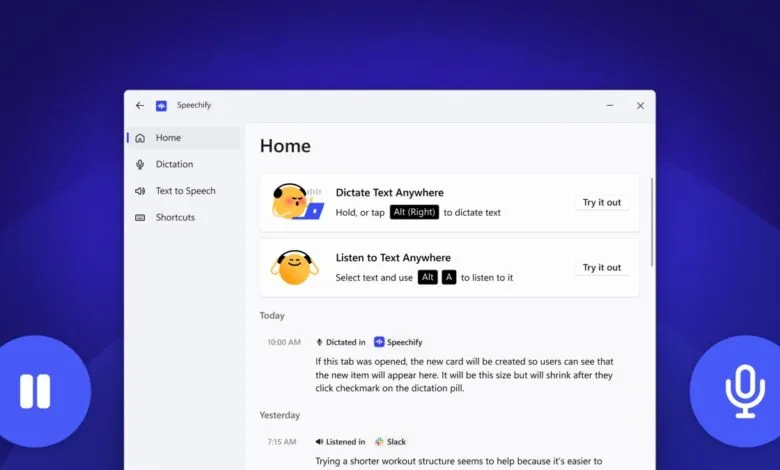
The voice AI landscape is becoming increasingly competitive, and a major player has just expanded its reach. Speechify, a company with over 50 million users, has officially launched a dedicated native application for the Windows operating system. This move positions it against other offline dictation and transcription apps like Wispr Flow and Superwhisper, bringing its suite of audio tools directly to the massive Windows user base.
A key differentiator for this new Windows app is its focus on on-device processing. For users with Copilot+ PCs featuring dedicated NPUs from AMD, Intel, or Qualcomm, or other Windows 11 machines with capable GPUs, all voice processing occurs locally. This approach enhances privacy and speed by eliminating the need to send audio data to the cloud. The application runs three core models directly on the device: a neural text-to-speech engine, a real-time voice activity detection system, and a transcription model powered by Whisper technology.
Users maintain flexibility, however. They can configure the app to switch to cloud-based models for specific tasks or even change the processing method during an active session. The text-to-speech component, called VITS Neural, offers a library of voices and can generate audio across seven different speed presets, allowing for customized listening experiences for documents, PDFs, or web articles. For detecting when a user starts and stops speaking, Speechify employs the open-source Silero model.
Cliff Weitzman, founder and CEO of Speechify, emphasized the strategic importance of this launch. “Over a billion people on this planet use Windows,” he stated. “With this Windows launch, we’re making sure that reading, and now writing, is never a barrier, no matter what device you use or how you prefer to work. We’re especially excited about the opportunity in the enterprise given how many professionals have asked for Speechify on their PCs.”
This expansion represents a significant evolution for the company. Initially focused on text-to-speech functionality like reading emails aloud or turning documents into podcasts, Speechify has been aggressively broadening its capabilities. Its recent feature releases include meeting transcription and a voice assistant, signaling a push to become a comprehensive full-stack voice application. While a browser-based meeting transcription tool launched last month, the new native Windows app creates a pathway to bring that functionality directly into any application or meeting platform on the desktop, further solidifying its enterprise appeal.
(Source: TechCrunch)