Google Messages ‘Tap to Draft’ Feature Now Rolling Out
▼ Summary
– Google Messages is introducing a new “Tap to Draft” feature to prevent accidental Smart Reply sends.
– This feature places a suggested Smart Reply into the text field for editing instead of sending it immediately.
– The current default behavior remains “Tap to Send,” which instantly sends the Smart Reply.
– The new setting is found in Messages Settings under Suggestions, but the interface could be clearer.
– “Tap to Draft” is currently available in a beta version of the app and not yet in the stable release.
Google Messages is introducing a new feature designed to prevent those awkward moments when a smart reply is sent accidentally. The update, now appearing for some users, adds a “Tap to Draft” option alongside the existing “Tap to Send” function within the app’s settings. This provides a crucial safeguard, allowing you to review and edit a suggested reply before it ever leaves your phone.
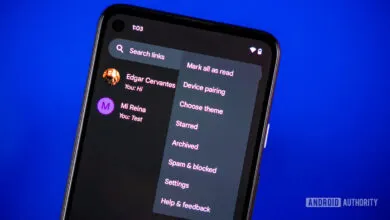
The feature is found within the app’s settings menu under Messages Settings > Suggestions. Here, you’ll see the new toggle positioned below the standard Smart Reply controls. While the current settings interface could be more intuitive, the functionality is straightforward. With “Tap to Send” enabled, which remains the default setting, tapping a smart reply instantly dispatches it to the recipient. The new “Tap to Draft” mode changes this behavior; selecting a suggestion instead populates the message draft area, giving you a chance to modify the text or simply reconsider before hitting send.
This additional step is a simple but effective quality-of-life improvement. It addresses a common pain point in fast-paced messaging, where a misplaced tap can lead to sending an overly casual, incorrect, or incomplete response. The feature provides a valuable buffer, especially for important or professional conversations where precision matters.
Currently, “Tap to Draft” is being observed in the beta version of Google Messages, specifically build 2026030300RC00. It has not yet made its way to the stable public release channel, meaning most regular users will need to wait a bit longer for the official rollout. As with many Google updates, this staged release allows the company to gather feedback and ensure stability before a wider launch. Users enrolled in the beta program should keep an eye on their app settings for the new option to appear.
(Source: 9to5Google)