watchOS beta adds always-on Audio Intelligence
▼ Summary
– Apple is introducing Audio Intelligence features in the watchOS 27.3 developer beta, enabling Siri to utilize the Apple Watch’s microphone for ambient listening tasks.
– The new suite includes Live Rewind, which provides text transcripts of the last 15 seconds of detected audio, and Siri Recap, which generates summaries of conversations using Apple Intelligence.
– A redesigned Health app is also available in the iOS 27.3 beta, featuring an Insights tab for daily data summaries and a For You section with personalized health recommendations.
– Expanded language support has been added for global English, Chinese, French, Japanese, Korean, Norwegian, Portuguese, Spanish, Turkish, and Vietnamese across these new features.
– Apple emphasizes privacy protections by processing raw audio on dedicated hardware without saving files, while ensuring that saved summaries and transcripts are end-to-end encrypted via iCloud.
Apple has introduced new Audio Intelligence capabilities to the Apple Watch in the latest watchOS 27.3 developer beta, enabling Siri to utilize the device’s microphone for real-time conversation assistance. These features leverage ambient listening technology to provide users with immediate context and memory aids during daily interactions. The two primary additions are Siri Recap, which synthesizes summaries of ongoing discussions, and Live Rewind, a tool that transcribes the most recent fifteen seconds of audio detected by the watch.
Conversation Assistance Tools
The Live Rewind feature is designed to help users recall specific details from conversations they may have missed or found difficult to follow. By double-pressing the Digital Crown, individuals can view a text transcript of the preceding fifteen seconds of speech. This functionality allows users to quickly catch up on missed information without interrupting the flow of dialogue. Additionally, users can query Siri regarding the content of these transcripts or choose to save them within the Siri app for later reference.
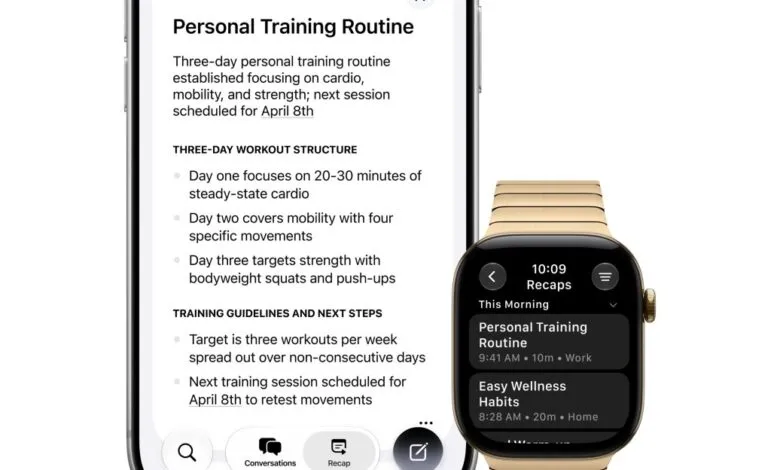
Complementing this is Siri Recap, which focuses on generating high-level overviews of conversations rather than verbatim transcripts. When enabled, the system automatically creates a title and identifies key points after a discussion concludes. This summary appears in the updated Siri app, helping users retain important takeaways while encouraging them to stay present and engaged during the interaction itself. Both tools rely on Apple Intelligence to process and generate these insights, aiming to reduce the cognitive load associated with remembering complex discussions.
Expanded Health App Features
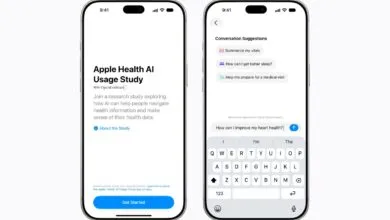
Alongside the watchOS updates, Apple is testing a redesigned Health app in the iOS 27.3 developer beta. This overhaul introduces several new organizational elements to better manage personal wellness data. A dedicated Insights tab provides daily summaries covering heart rate, sleep patterns, fitness metrics, and other health indicators. The interface also includes a For You section that offers personalized recommendations based on individual user data. Furthermore, the app now hosts educational content, including videos and articles, to support user understanding of their health status.
To ensure broader accessibility, Apple has expanded language support for these new features. The updated ecosystem now supports global English, Simplified and Traditional Chinese, French, Japanese, Korean, Norwegian, Portuguese, Spanish, Turkish, and Vietnamese. This expansion aligns with Apple’s strategy to make advanced AI-driven health and communication tools available to a more diverse international user base.
Privacy and Data Security Measures
Given the sensitive nature of always-on listening devices, Apple has published a detailed Privacy Overview document to address concerns regarding ambient listening. The company emphasizes that raw audio data is processed using dedicated hardware components and is not saved as a file. According to Apple, this audio data remains inaccessible to the operating system, third-party applications, or Apple itself.
When users opt to save a Siri Recap summary or a Live Rewind text snippet, the data syncs across devices via iCloud. Apple states that if a user has enabled two-factor authentication and set a device passcode, this saved information is protected through end-to-end encryption within the Siri app. This measure ensures that only the user can access their conversation records, maintaining confidentiality even when data is stored in the cloud.
(Source: The Verge)