ChatGPT’s New Update: More Show Than Tell

▼ Summary
– OpenAI has introduced an Intelligent UI update for ChatGPT that generates custom visual elements like diagrams and interactive tools.
– The new feature is powered by the GPT-6 model, which is rolling out to paid users immediately and free users shortly after.
– Early tests show the AI can create functional items such as a slug anatomy diagram with clickable parts and an apartment affordability calculator.
– OpenAI emphasizes that visuals are added only when they provide value, avoiding clutter, and users can request fewer graphical outputs.
– This approach mirrors Google’s generative UI in Search, which also uses adjustable graphics to explain complex topics like black holes.
OpenAI is fundamentally changing how users interact with ChatGPT by introducing an Intelligent UI that replaces static text blocks with dynamic, interactive visual elements. This overhaul, driven by the newly released GPT-6 model, aims to provide more intuitive and helpful responses through custom-generated graphics and tools. The update is available to paid subscribers starting today, with access extending to free users tomorrow.
The shift toward visual interactivity represents a significant departure from the traditional chatbot experience, where users typically receive lengthy paragraphs accompanied by occasional web-sourced images. Instead, OpenAI’s new system generates bespoke components tailored to specific queries. During early testing, interactions demonstrated the potential for this technology to enhance comprehension and utility. For instance, requesting information on a slug resulted in an anatomical diagram featuring clickable buttons for various body parts, ranging from upper tentacles to the muscular foot. Similarly, inquiries about housing costs in San Francisco yielded a functional calculator with movable sliders, allowing users to adjust income and expense variables to see real-time impacts on affordability percentages.
One of the most compelling demonstrations involved an airplane seat explorer tool designed to compare cabin layouts across different aircraft models. When asked to analyze options between Alaska Airlines and Delta planes, the interface produced an interactive map where users could tap individual seats for detailed specifications. The system automatically highlighted exit rows in green, providing immediate visual cues for those wishing to avoid those specific sections. These features illustrate how interactive outputs can transform complex data into accessible, user-friendly formats.
Despite the enthusiasm for these enhancements, OpenAI emphasizes that not every response will include visual aids. The integration of diagrams and charts is carefully curated to ensure they add genuine value rather than creating clutter. “We have a design team that spent a lot of time figuring out when adding a diagram, chart, or buttons adds value versus when it’s starting to feel cluttered,” says Aarush Selvan, a product manager at OpenAI. Users retain control over their experience and can instruct the AI to reduce the frequency of visual outputs if preferred.
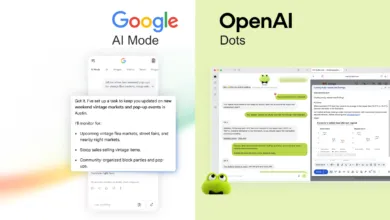
This approach mirrors strategies recently adopted by competitors in the search engine space. Google introduced its own version of this concept earlier this year, labeling it “generative UI.” Both platforms are moving toward delivering results that are not just informative but also manipulable and visually engaging. For example, Google Search can now generate adjustable graphics explaining complex topics like black holes, utilizing multiple sliders to help users visualize scientific concepts. As both tech giants refine these technologies, the boundary between simple information retrieval and interactive exploration continues to blur.
(Source: Wired)