SmartLabels QR System Review 2026: AI Organizes Junk Drawer
▼ Summary
– The junk drawer serves as a practical solution for storing miscellaneous items but often leads to difficulty locating specific objects when needed.
– SmartLabels offers a digital inventory system using QR code stickers and a companion app to catalog the contents of bins, boxes, and drawers.
– Users must manually update the app by photographing new items and existing contents to maintain an accurate and up-to-date digital record.
– Each package includes 48 unique QR codes, requiring clear visibility of items during the photo capture process for successful cataloging.
– While a free version is available, a premium subscription provides additional features like exportable PDFs and spreadsheets useful for business applications.
Digital inventory management is transforming how households handle clutter, with the SmartLabels QR system emerging as a practical solution for those overwhelmed by disorganized storage spaces. The concept of a “junk drawer” exists because it is impractical to assign a specific home to every single household item. While this catch-all approach prevents immediate chaos, it often leads to frustration when essential tools like utility scissors, flashlights, or stamps disappear into the void. Traditional organizing methods, such as labeling boxes, fail to address the core issue: knowing what is actually inside those containers. SmartLabels addresses this gap by combining physical QR code stickers with a companion mobile application that maintains a real-time digital catalog of your belongings.
How the System Works and Its Limitations
The effectiveness of SmartLabels hinges on user consistency. While the technology provides a sophisticated way to track items, it relies entirely on the owner’s diligence in updating the database. If you move an item from its designated spot without recording the change, the app will still list it in its original location. This creates a potential disconnect between the digital record and physical reality. For instance, if double-sided tape is accidentally stored with wrapping paper rather than returned to the junk drawer, the app will not automatically detect this shift. Users must actively scan new items and update their locations whenever they rearrange their storage areas. For disciplined users who treat the app as a mandatory step in their organizing routine, the system offers significant value by eliminating the guesswork associated with hidden storage.
Setup Process and Pricing Structure
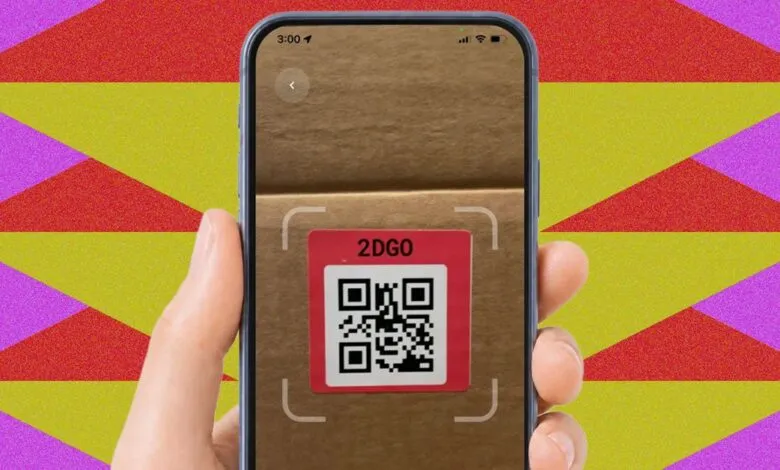
Getting started with SmartLabels is straightforward. Each package contains 48 unique QR-code stickers, arranged in four sheets of twelve. After downloading the free application, which supports both iOS and Android devices, users select a sticker to associate with a specific bin, box, or drawer. The process requires taking a photograph of the applied QR code to link the physical label to the digital profile. Subsequently, users must photograph each individual item being stored. The camera must capture these objects clearly; simply tossing items into a container and snapping a picture will result in incomplete data, as the app cannot catalog unseen goods.
While the core functionality is available at no cost, SmartLabels offers a premium subscription tier priced at $15 per year. This upgrade unlocks features such as exportable PDFs and spreadsheets of your inventory. These advanced tools are particularly useful for businesses requiring detailed asset tracking, though they may be unnecessary for average homeowners focused solely on basic organization. The primary benefit remains the ability to visually confirm the presence of items before opening a container, streamlining the search for misplaced essentials.
(Source: Wired)