Adobe Premiere for Android is free
▼ Summary
– Adobe has released a version of its Premiere video editing app for Android devices, filling a gap left by Google.
– The mobile application offers features like multi-track editing, trimming, effects, and 4K export capabilities.
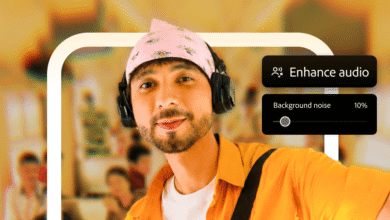
– Users can extract audio, reduce background noise, and add voiceovers directly within the app interface.
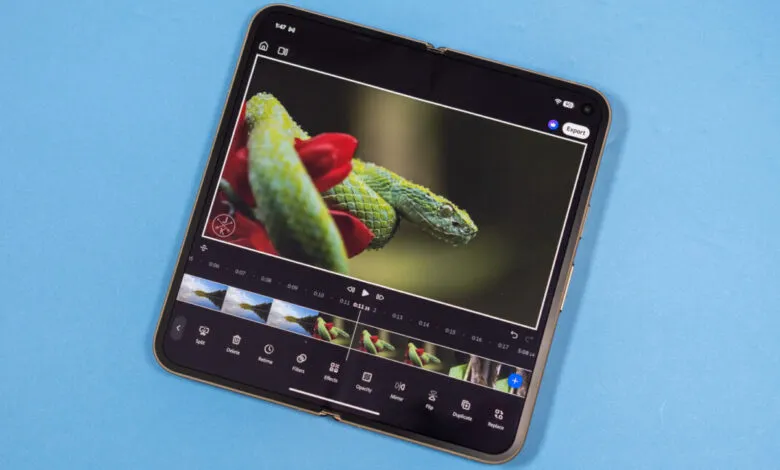
– The user interface adapts to different form factors, such as foldable phones, with specific layouts for widescreen or portrait content.
– The app is optimized for creating YouTube Shorts but allows users to switch to traditional aspect ratios for other video formats.
Adobe Premiere for Android has officially arrived, marking a significant shift in the mobile video editing landscape. For years, Android users lacked a robust, professional-grade alternative to Apple’s iMovie ecosystem. While Google never introduced a direct competitor, Adobe is now addressing this void with a dedicated version of its industry-standard software. The application is currently available on the Play Store across nearly all compatible devices and operates on a free model, though it includes optional premium features.
This mobile iteration does not replicate the full suite of tools found in the desktop environment, but it represents a substantial upgrade over the upcoming retirement of Premiere Rush. Users can manage unlimited video tracks, performing essential edits such as trimming, splitting, and applying visual effects. The export capabilities support resolutions up to 4K, ensuring high-quality output. Additionally, the app provides audio management tools, including background noise reduction, voiceover recording, and audio extraction from existing clips.
The interface is heavily optimized for vertical content creation, reflecting a strategic focus on platforms like YouTube Shorts. By default, projects are set to a portrait 16:9 aspect ratio, though users retain the flexibility to switch to traditional widescreen formats. On standard smartphones, the workspace divides the screen with the timeline positioned at the bottom and the preview window above. Adobe notes that the design adapts dynamically to different hardware configurations. For instance, foldable devices rearrange the layout to utilize the wider screen space, placing the timeline adjacent to the video feed. This configuration aligns with the app’s emphasis on short-form vertical video. However, creators working on horizontal projects can toggle the view to place the widescreen video above an expanded timeline. Both the video preview and timeline areas are resizable, allowing editors to customize their workspace for maximum efficiency.
(Source: Ars Technica)