HP OmniBook Ultra 14 Review: A Top-Tier Windows Laptop

▼ Summary
– The $60 upgrade to the 2880×1800, 120-Hz display requires also upgrading to at least the 12-core Snapdragon X2 Elite CPU, a frustrating limitation.
– The Snapdragon X2 Plus offers strong graphics performance matching the M5 MacBook Air in benchmarks and excellent multicore performance, suiting photographers and graphic designers.
– Battery life reaches 24 hours on a single charge with local video playback, comparable to latest Intel laptops and MacBooks.
– The laptop has good built-in speakers comparable to the 13-inch MacBook Air, but its 5-megapixel webcam struggles with harsh lighting.
– The HP OmniBook Ultra 14 justifies its higher price by being more versatile and lower-priced than comparable machines like the Dell XPS 14 and Surface Laptop 7th Edition.
The configuration I spent time with was far from the entry-level version, which sticks with a 1920 x 1200 display. That panel is serviceable, but the $60 upgrade to a 2880 x 1800, 120-Hz screen is an obvious choice for anyone who values clarity and smooth motion. The catch? HP locks that display behind a CPU upgrade, forcing you to jump to at least the 12-core Snapdragon X2 Elite. That creates a frustrating gap in the lineup, because the ideal balance of price and performance sits somewhere in the middle. It stings even more when you realize HP sells budget machines like the OmniBook 5 and OmniBook 3 with OLED panels for half the price. At this tier, the OmniBook Ultra 14 starts rubbing shoulders with the base M5 MacBook Pro, which also doubles the storage.
The Qualcomm Snapdragon X2 Plus holds its own without much effort. Graphics performance has taken a massive leap over the previous generation, even matching the M5 MacBook Air in benchmarks like 3DMark Steel Nomad Light. Real-world gaming still isn’t a sure bet, but there is considerably more graphical headroom than most people expect. Multicore performance surpasses the M5, a clear win for anyone juggling heavy workloads. When you combine that with excellent color accuracy, this CPU makes the laptop a natural fit for photographers and graphic designers, even if the absence of a dedicated GPU keeps serious video editors looking elsewhere.
Photograph: Luke Larsen
Battery life is a standout feature. I recorded 24 hours of local video playback on a single charge, putting it right in line with the latest Intel laptops and MacBooks.
Stepping up to the Snapdragon X2 Elite unlocks even more multicore muscle, with up to 18 cores. But the price jumps significantly, and you won’t see any improvement in battery life.
No matter which model you pick, you get four built-in speakers and a 5-megapixel webcam. The speakers are a pleasant surprise, delivering a full, rich sound that makes music genuinely enjoyable and places them on par with the 13-inch MacBook Air. The webcam is a different story. The 5-megapixel sensor captures sharp detail, but it struggles badly with harsh lighting. During my tests with an open window nearby, the camera completely blew out the highlights and lost most of the detail on my face.
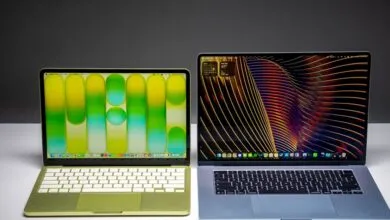
The MacBook Air remains a tough competitor. It costs less while still offering a remarkably well-rounded experience. Even the base model’s screen is sharper than the OmniBook Ultra’s entry-level display. If you’re indifferent about macOS versus Windows, I’d still point you toward the MacBook Air.
That said, the HP OmniBook Ultra 14 justifies its higher price when you compare it to rivals like the Dell XPS 14 and Surface Laptop 7th Edition, both of which cost hundreds more. I like all three, but the OmniBook Ultra 14 is more versatile, starts at a lower price, and remains the only one currently shipping with Qualcomm’s next-generation chips.
(Source: Wired)