NASA Artemis II Images: Download with This Shortcut
▼ Summary
– NASA’s Artemis II mission, launched on April 1, 2026, is a crewed test flight orbiting the Moon for the first time in over 50 years.
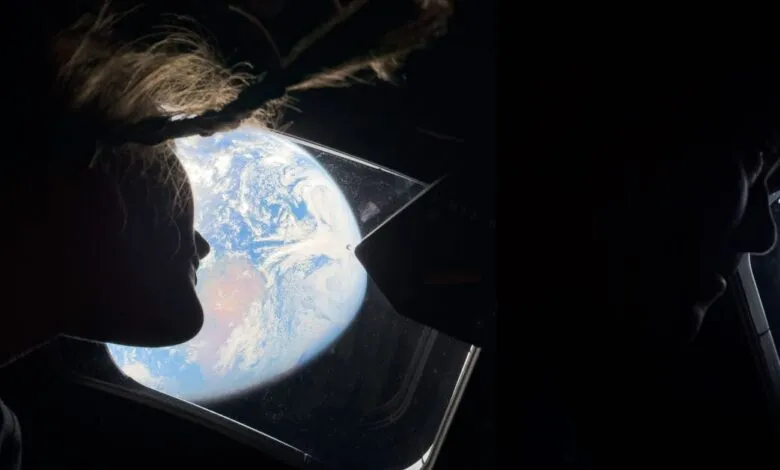
– The mission has captured high-quality imagery, including some photos taken with an iPhone, which NASA shares on its Flickr page.
– A shortcut created by Stephen Robles allows users to download these full-quality Artemis II images directly to their Apple devices’ photo libraries.
– The shortcut is simple to install via a shared link but runs slowly due to the large file sizes of the images it retrieves.
– The shortcut works on Mac, iPad, and iPhone, presenting images in a pop-up window where users can select which ones to save.
The Artemis II mission represents a monumental step in human space exploration, marking the first crewed lunar orbit in over five decades. Launched on April 1, 2026, this NASA test flight with four astronauts has already provided breathtaking views from behind the moon, with some imagery even captured using an iPhone. For those eager to access these historic photos, a clever download shortcut now offers a direct pipeline from NASA’s official Flickr page to your Apple device.
Created by Apple shortcuts expert Stephen Robles, this tool simplifies the process of acquiring high-resolution mission photos. He shared the shortcut on social media, noting its ability to pull full-quality images directly from the source. The shortcut does require some patience during its initial run as it fetches large files, but the result is a curated gallery of stunning lunar vistas.
Getting started is straightforward. Simply tap the provided shortcut link, which redirects to an iCloud page. From there, select “get shortcut” to add it to your Shortcuts library. To execute it, open the newly added “Artemis II Images” shortcut and allow it a full minute to compile the available photographs. A pop-up window will then display all the images in either a list or grid view. You can select your favorites, confirm your choices, and the photos will save directly to your device’s library.
This image download shortcut functions seamlessly across iPhone, iPad, and Mac, providing a quick and efficient method to build a personal collection of these awe-inspiring space photos. It’s a brilliant demonstration of how automation tools can bridge the gap between public space agency data and personal technology, bringing the wonders of the Artemis program directly to your screen.
(Source: 9to5Mac)