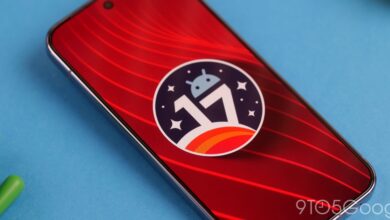
Android 17 Beta 3 Launches Multitasking Bubbles

▼ Summary
– Android 17 Beta 3 expands the Bubbles feature, making it available for apps beyond just Messenger, which is especially useful for multitasking on larger displays.
– The feature allows any app to be opened in a floating window that can be minimized quickly, acting as a new multitasking platform.
– Bubbles can be activated by long-pressing an app and tapping a new minimize-style button, and multiple bubbles can be switched between or dismissed by dragging.
– On devices like foldables, this feature helps bridge a multitasking gap previously seen between Google’s software and other manufacturers’ offerings.
– The expanded Bubbles feature is now officially live in this beta release and is expected to remain throughout the beta phase.
The latest Android 17 Beta 3 release has significantly expanded the functionality of its Bubbles multitasking feature, moving it beyond a single-app novelty into a system-wide productivity tool. While the concept isn’t entirely new, its implementation now allows any application to utilize floating windows, a change particularly beneficial for users with larger screens and foldable devices.
This feature first surfaced in early leaks and experimental builds but never reached a stable public release. Many users recognize it from Google Messages, where enabling Bubbles for a contact creates a persistent, floating icon that provides quick access to conversations in a picture-in-picture style window. The new beta transforms that specific function into a versatile multitasking platform.
Now, any app can be launched into a floating bubble. A long-press on an app reveals a new minimize button, which converts the app into a movable, resizable window that hovers above other content. This creates an additional layer of screen real estate without forcing users to split the display between two full apps. On devices like the Pixel 10 Pro Fold, this helps bridge a perceived multitasking gap with other manufacturers, offering a fluid way to reference information from one app while working in another.
Users can activate multiple bubbles simultaneously, switching between them or recalling them from the edge of the screen with a tap. Dismissing a bubble is intuitive, requiring only a drag-and-drop gesture to the bottom of the display. The feature is now officially integrated into Android 17 Beta 3 and is expected to remain through the rest of the beta testing period. While a boon for Pixel Fold users, this enhanced multitasking capability also offers practical utility for owners of traditional slab-style smartphones, providing a faster way to manage several tasks at once.
(Source: 9to5google.com)