ChatGPT’s New File Library: How It Works
▼ Summary
– The new ChatGPT Library is a dedicated online space that automatically stores all files you upload or ask the AI to generate during chats.
– This feature is only available to paying subscribers (Plus, Pro, or Business) and is not accessible in the European Economic Area, Switzerland, or the UK.
– The library supports various file types like images, documents, and spreadsheets, but each has specific size limitations, such as a 512MB cap for most files.
– You can access and manage your stored files directly through the ChatGPT website, where you can view, download, upload, or delete them.
– To use a file from the library in a new conversation, you can select it from the “Recent files” menu or directly from the library interface.
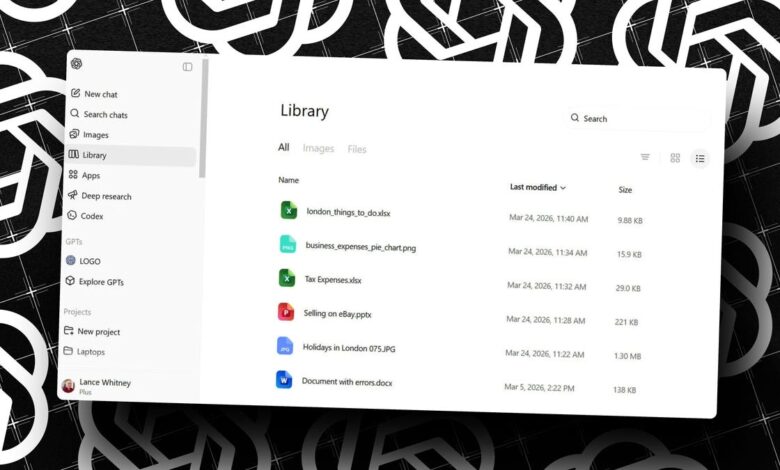
The new ChatGPT Library offers a centralized hub for managing all the files you interact with through the AI platform. This dedicated space automatically stores both the documents you upload and the files the chatbot generates for you, providing a streamlined way to access your materials without searching through your computer. For users who frequently analyze photos or request custom PDFs, this feature eliminates a common organizational headache by keeping everything in one secure online location.
OpenAI designed this library as a convenient and secure repository. Whenever you upload an image, document, spreadsheet, or presentation in a chat, it is automatically saved there. The same applies to files ChatGPT creates based on your requests, with the notable exception of AI-generated images, which remain in a separate Images section. This means any file you’ve used or created is ready for immediate access in future conversations, directly from the ChatGPT interface.
There are, however, several important access limitations to consider. The library is not available to all users. You must have a ChatGPT Plus, Pro, or Business subscription; free and ChatGPT Go users cannot use this feature. Furthermore, it is currently unavailable in the European Economic Area, Switzerland, and the United Kingdom. Access is also restricted to the ChatGPT website and does not extend to mobile apps.
The system enforces specific file size limits to ensure performance. Most files cannot exceed 512MB. More restrictive caps apply to certain formats: CSV files and spreadsheets are limited to 50MB, while images must be under 20MB. Uploaded text-based documents have a limit of 2 million tokens, which accommodates very lengthy texts but sets a clear technical boundary.
Using the library is straightforward. After signing into the ChatGPT website with an eligible account, look for the Library entry in the left sidebar. If it doesn’t appear immediately, try refreshing the page. Inside, you can browse all your files, with views available for all items, images only, or general files. To add a new file, simply upload one in a chat or ask ChatGPT to generate a document. The new file will then appear in your library.
To use a stored file in a new conversation, click the plus icon next to the prompt and navigate to the Recent files menu. You can select a recently used file or choose the option to browse your entire library. Managing your collection is also simple: click to view a file, use the download icon to save it to your device, or click the trash can icon to delete it. You can even select multiple files for batch downloading or deletion, making file management efficient and user-friendly.
(Source: ZDNet)