A 5K Monitor $1,000 Cheaper Than Apple’s Studio Display
▼ Summary
– The KTC H27P3 is a budget-friendly 27-inch 5K monitor that costs significantly less than popular models like the Apple Studio Display, offering a similar 217 PPI pixel density.
– While it provides sharp, color-accurate visuals ideal for macOS scaling and general use, it lacks premium features, has a clumsy onscreen menu, and offers limited, slower ports compared to expensive alternatives.
– The monitor is not suitable for gaming due to its standard 60Hz refresh rate and slow response time, and its advertised 120Hz mode only works at a lower 2K resolution.
– Its advertised HDR support is underwhelming, and for superior contrast and color, the article suggests considering Mini-LED or OLED monitors instead.
– The H27P3 is best for users who want an affordable entry into 5K resolution for tasks like content creation or as a secondary display, but it makes significant compromises to achieve its low price.
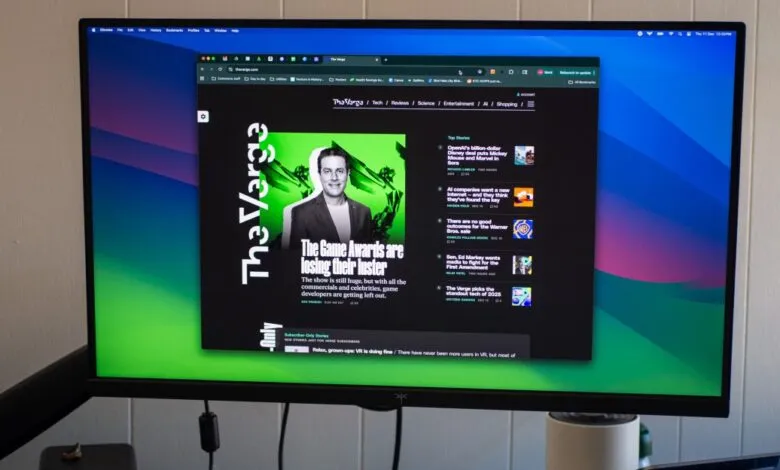
For anyone who has admired the stunning clarity of a 5K display but balked at the typical four-figure price tag, a new contender offers a surprisingly affordable entry point. The KTC H27P3 monitor delivers a 27-inch 5K IPS screen for a fraction of the cost of the popular Apple Studio Display, providing a compelling option for creators and Mac users on a budget. While it makes significant compromises in features and build quality, its core visual performance challenges the notion that high pixel density must come with a premium.
This monitor comes from KTC, a brand less familiar to many than Apple or Samsung. The screen itself is the main attraction, boasting 217 pixels per inch (PPI). That figure sits just one PPI shy of much more expensive models, resulting in exceptionally sharp text and images. For macOS users, this is particularly beneficial. The operating system scales the interface beautifully on such a high-resolution display, making everything look noticeably crisper than on a native 1440p monitor. Connecting it to a laptop is straightforward with a single USB-C cable that also provides up to 65W of power delivery.
However, it’s crucial to understand what you’re giving up for the low price. The design is utilitarian, resembling a basic gaming monitor. The on-screen menus are clumsy and unintuitive, making simple adjustments a chore. The port selection is limited and lacks the speed and versatility of pricier alternatives. It includes one HDMI 2.0 port, one DisplayPort 1.4 input, and one USB-C port. While KTC advertises a KVM switch, it functions more as a simple USB hub rather than a true system for controlling multiple computers.
Gaming is not this display’s strength. It runs at a standard 60Hz refresh rate at its native 5K resolution, which can feel sluggish compared to higher refresh rate panels. While it can reach 120Hz, it only does so at a lower 2K resolution. More critically, the panel’s response time is quite slow, creating a tangible latency between input and on-screen action. Switching between 5K and 2K modes is also frustratingly cumbersome, requiring navigation through the monitor’s own menu system instead of the computer’s display settings.
In terms of picture quality, the H27P3 holds its own in several key areas. It gets sufficiently bright for most environments, and its contrast ratio is decent for general use. The monitor covers a wide color gamut, supporting DCI-P3, sRGB, and Adobe RGB, which is valuable for color-sensitive work. It’s important to note it uses an 8-bit panel with frame rate control (FRC) to simulate wider color, a common technique at this price point. Its HDR support is underwhelming, offering a brightness boost but lacking the contrast and local dimming needed for a truly impactful HDR experience.
For those whose priority is sheer pixel density for sharp text and image clarity, especially within the macOS ecosystem, the H27P3 presents a unique value. It effectively demonstrates the benefits of 5K. Yet, for many users, the trade-offs in refresh rate, response time, and overall polish are significant. Alternatives like modern Mini-LED or OLED monitors often provide better contrast, faster performance, and more features for similar or slightly higher costs. Ultimately, this monitor serves a specific niche: it’s a capable, no-frills gateway into the world of 5K resolution for those who have previously found it financially out of reach.
(Source: The Verge)