Get a Free Year of Windows 10: Last Chance for Millions

▼ Summary
– Microsoft is ending support for Windows 10 on October 14, which means it will stop providing security patches and feature updates.
– Older devices may not meet the specifications required to upgrade to Windows 11, leaving them vulnerable to security threats after support ends.
– Microsoft offers an Extended Support Updates (ESU) program, providing an extra year of support for a $30 fee or by agreeing to back up data to Microsoft’s servers.
– The free ESU option requires linking your Windows login to Microsoft’s cloud service, with only the first 5GB of storage included for free.
– Users can enroll in the ESU program through the Settings menu by ensuring their PC is updated and selecting the enrollment option under Update & Security.
Time is running out for millions of Windows 10 users, as Microsoft will officially end support for the operating system on October 14. This means no more security patches or feature updates will be provided, leaving devices exposed to potential threats. While newer computers can upgrade to Windows 11 at no cost, many older machines lack the necessary hardware, creating a significant security dilemma for their owners.
Research from Canalys indicates that approximately 240 million Windows 10 devices could become vulnerable to multiple security exploits once Microsoft discontinues support. Although you can continue using Windows 10 after the cutoff date, doing so without security updates dramatically increases your risk of malware attacks and data breaches.
Fortunately, Microsoft has introduced a solution called the Extended Security Updates (ESU) program. This initiative provides an additional year of critical security updates for Windows 10. To qualify, users must either pay a $30 fee or agree to back up their data using Microsoft’s cloud services. While neither requirement is particularly burdensome, both options involve some compromise, either financial cost or entrusting personal information to Microsoft’s servers.
For those preferring to avoid the payment, the backup option provides a free pathway to extended protection. Here’s how to secure that additional year of security coverage for your Windows 10 computer.
Begin by ensuring your system is completely updated. Navigate to Settings, choose System, then About, and verify you’re running the most recent Windows 10 version. While in Settings, confirm you’re logged into an administrator account by checking under Your Info.
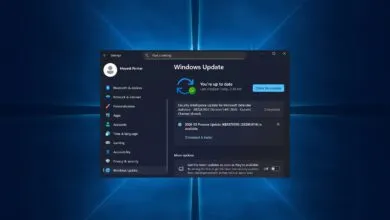
Next, select Update & Security from the Settings menu. Look for the notification stating “Windows 10 support ends in October 2025” and click the Enroll Now link. If this option isn’t visible, your system likely requires additional updates before proceeding.
When presented with enrollment choices, select “Back up your PC settings” for the free option. This will connect your Windows login to Microsoft’s cloud platform. Many users have already completed this step if they use services like OneDrive, Office 365, or GamePass.
Important to remember: the complimentary backup covers only the first 5GB of storage. Exceeding this limit necessitates purchasing additional cloud space, with Microsoft’s most affordable plan starting at $20 monthly. You can manage which files to back up through the OneDrive settings menu.
After making your selections, sign in to finalize the process. A confirmation window will appear stating “Add this device to receive Extended Security Updates.” Click Add Device, then Done to complete your enrollment.
This extension provides valuable time to consider upgrading to a Windows 11-compatible device. The Dell XPS 13 remains an excellent choice for those prioritizing portability and battery life, while budget-conscious users might consider the feature-rich Acer Aspire Go 15, available for under $300.
(Source: Tom’s Guide)