Explore Classic Apple OS Versions in the Virtual OS Museum
▼ Summary
– The Virtual OS Museum, created by developer Andrew Warkentin, offers emulated access to over 1,700 pre-installed operating systems from 1948 to the present.
– The project covers more than 250 platforms and roughly 600 distinct OSes, spanning mainframes, minicomputers, workstations, home computers, and mobile systems.
– It is available in a full 121GB offline version and a lighter 14GB version that downloads guest images on first run.
– The collection includes historic systems like Manchester Baby, CTSS, NeXTSTEP, Windows 1.0, and early Android and iOS where emulation allows.
– The host VM is x86-only, so performance on ARM platforms like Apple silicon Macs will be limited.
If you’ve ever wanted to step back in time and experience the operating systems that defined Apple’s journey and beyond, The Virtual OS Museum offers an unparalleled trip through computing history. This ambitious project lets you run thousands of pre-installed systems under emulation, bringing decades of software to life on your modern machine.
As highlighted by BoingBoing, the museum is the brainchild of developer Andrew Warkentin. It boasts over 1,700 pre-installed operating systems and standalone applications, spanning more than 250 platforms and roughly 600 distinct operating systems from 1948 right up to the present day. That’s a staggering collection of digital archaeology.
Users can choose between two editions. The full 121GB download (174GB when unzipped) comes with everything pre-loaded for offline use. For those with less storage or patience, a lighter 14GB version (21GB unzipped) downloads guest VM images on the first run. Both editions support automatic and manual updates, so new installations arrive without needing to re-download the entire virtual machine.
Warkentin explains that this project is the result of over 20 years of collecting. He began gathering emulator images in 2003, back when only a handful of small archives existed for software and documentation. Today, the museum is a sprawling timeline of computing.
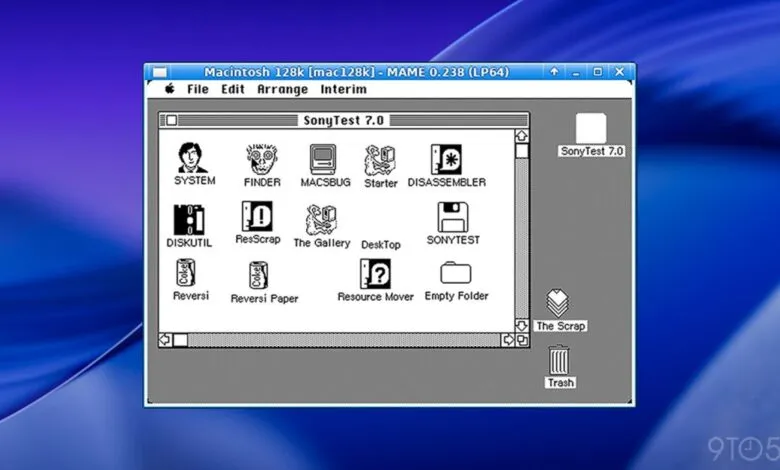
What can you actually find inside? The list is vast and varied. It includes the earliest mainframes like the Manchester Baby and EDSAC software. You’ll encounter later mainframes and minicomputers such as CTSS, MVS, and Multics. Workstations and Unix variants are well represented, featuring SunOS, IRIX, NeXTSTEP, Plan 9, and Linux distributions across the decades. Home computers include CP/M, Apple II, Commodore 8-bit machines, and the ZX Spectrum. Personal computer operating systems cover DOS, OS/2, BeOS, Windows from 1.0 to early Longhorn betas, and classic Mac OS through Mac OS X 10.5 PPC. Mobile and embedded systems like PalmOS, Symbian, Newton OS, and early Android and iOS are also present, alongside research and obscure systems like ZetaLisp and Oberon.
Warkentin is upfront about limitations. Not every emulated system runs perfectly, and the project is still a preliminary release. Some operating systems only work with specific emulator versions. Also, the host VM is currently x86-only, so performance on ARM platforms like Apple silicon Macs may be limited. Still, for anyone fascinated by computing history, this is an endlessly rewarding resource.
Head over to The Virtual OS Museum’s website for download links, quick-start guides for macOS, Windows, and Linux, a full list of included installations, and screenshots of many systems already running.
(Source: 9to5Mac)