Windows 11 Update Boosts Performance and Wake Times
▼ Summary
– This optional Windows 11 update (KB5077241) focuses on quality-of-life improvements and reliability, notably improving PC wake-from-sleep performance.
– It introduces new features like a built-in network speed test accessible from the taskbar and camera controls for pan/tilt in the Settings app.
– The update includes visual and performance upgrades across system interfaces and adds new Emoji 16.0 characters to the emoji panel.
– It brings native System Monitor (Sysmon) functionality for security event logging and a redesigned Widgets panel with a full-page settings experience.
– Other improvements cover file sharing, printing, File Explorer, and enterprise tools like support for Remote Server Administration Tools (RSAT) on Arm64 devices.
Microsoft’s latest optional update for Windows 11, known as KB5077241, delivers a welcome collection of performance boosts and practical features. This release focuses on enhancing system responsiveness and user convenience, marking a significant step forward for the operating system’s day-to-day usability. Users can install it now or wait for its automatic inclusion in next month’s scheduled security updates.
A key improvement addresses a common frustration: waking a computer from sleep. Microsoft states the update enhances reliability in this area, which should translate to faster and more consistent wake times. The overall feel of the interface receives attention as well, with visual and performance upgrades applied to the sign-in screen, Settings app, and Taskbar to create a more fluid experience. Windows Search now conveniently displays the total number of results at the top of its panel.
Several new features add genuine utility. A built-in internet speed test is now accessible directly from the Taskbar; simply right-click the network icon to initiate a check of your Ethernet, Wi-Fi, or cellular connection. The Settings app gains new controls, allowing users to virtually pan and tilt the view of supported cameras. Other notable additions include an updated set of Emoji 16.0 characters, a native integration of System Monitor (Sysmon) for security event logging, and a redesigned Widgets panel that places widgets on their own dedicated page.
The update also brings a host of refinements across the system. File Explorer sees multiple improvements, including a more reliable method to open a new window and an “Extract all” option for non-ZIP archives on its command bar. Printing performance is enhanced to reduce slowdowns during high-volume jobs, and sharing larger files via Nearby Sharing is now more reliable. For IT administrators, support for Remote Server Administration Tools (RSAT) is now available on Windows 11 Arm64 devices, expanding management capabilities.
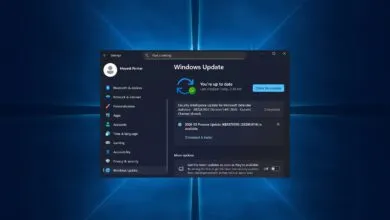
Storage Settings receive a modernized design and faster scanning for temporary files, while the Windows Update settings page itself is more responsive. The update even allows users to set WebP format images as their desktop background. Currently, there are no known issues associated with this release, which is a promising development for users weary of problematic updates.
This collection of enhancements suggests a focused effort on improving core functionality and addressing user feedback. By combining performance gains with thoughtful new features, this update represents a positive direction for Windows 11, potentially setting a higher standard for future releases.
(Source: Windows Central)