This Free App Is a Must-Have for Any New Android Phone
▼ Summary
– Android lacks a native, system-wide universal search tool similar to Apple’s Spotlight, which is a notable frustration for users.
– The app Sesame Search previously filled this gap but was discontinued after its acquisition, leaving users without a good alternative.
– Pixel Search emerged as a free, viable replacement, bringing Pixel Launcher-like search functionality to any Android device.
– After a period of abandonment, Pixel Search has been revived with significant updates, adding features like fuzzy search, custom engines, and contextual actions.
– The app is now considered indispensable, especially as Google is downgrading the search experience on Pixel phones, making Pixel Search crucial for a fast, unified search.
Finding a truly effective system-wide search tool for Android can feel like an endless quest. While Google dominates the web search landscape, its mobile operating system surprisingly lacks a native, unified search function capable of scanning everything from contacts and messages to app shortcuts and device settings. This glaring omission creates a significant gap in user efficiency, forcing many to navigate through multiple apps and menus for simple tasks. Fortunately, a powerful and completely free application now fills this void, becoming an essential first install on any new Android device.
For years, Android has operated without a built-in tool comparable to Apple’s Spotlight search. Pixel devices partially address this through their launcher, but users on other manufacturers’ phones are often left with inconsistent or limited options. The app Sesame Search was once the premier solution, offering deep integration across apps, contacts, and services before its development stalled after an acquisition. Its absence left a noticeable void for power users seeking streamlined workflows.
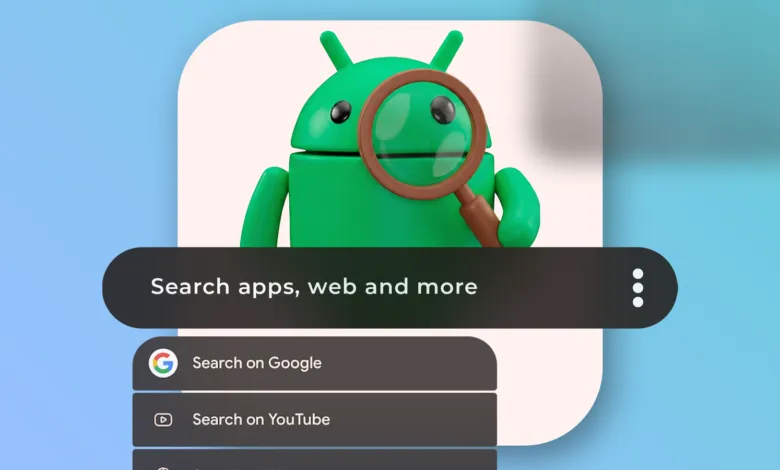
The search for a worthy successor ended with the arrival of Pixel Search. This application effectively replicates the cohesive search experience of the Pixel Launcher and makes it available on any Android phone. Although its initial development paused briefly, the project has been revitalized with significant updates, transforming it from a handy tool into a must-have productivity powerhouse. The recently launched Pixel Search 2.0 introduced a refreshed design, greater widget customization, and crucial support for custom search engines and URLs.
Its functionality is where the app truly shines, saving countless taps and minutes every day. Imagine needing to message a contact on WhatsApp; instead of opening the app and searching within it, you simply type the name into Pixel Search and tap the WhatsApp icon next to the result to jump directly into the chat. The same principle applies to navigation: start typing a location, and you can launch directions in Google Maps instantly. The app also allows direct searches within platforms like YouTube Music, ChatGPT, or Gemini from its unified interface.
A major update in version 2.1 added highly-requested features like fuzzy search support for handling typos, faster app indexing, and even integrated Perplexity AI as a search option. The home screen widget received a clever upgrade, doubling as a quick calculator. Nearly every aspect is customizable, from the number of web results and the order of search providers to background transparency and default apps for opening specific file types. You can even add a search tile to the Quick Settings panel for instant access from anywhere.
Interestingly, even Pixel phone users now have a compelling reason to install Pixel Search. Google is gradually replacing the efficient Pixel Launcher search bar with a Google App-powered experience focused on promoting its AI features. This change is a functional downgrade, as it cannot search device settings, contacts, or app shortcuts and is generally slower. Pixel Search allows these users to reclaim the fast, unified search experience that Google is stepping away from.
Ultimately, with Google showing little interest in solving this systemic shortcoming, Pixel Search has become indispensable. It delivers the seamless, system-wide search experience that Android has always needed, dramatically speeding up daily tasks and eliminating frustrating menu navigation. The fact that such a robust and constantly improving tool remains free is remarkable. For anyone looking to maximize their Android efficiency, installing this app is a non-negotiable first step.
(Source: Android Police)