Can’t Find Your ChatGPT Recap? Here’s How to Get It
▼ Summary
– OpenAI has launched a new “Your Year with ChatGPT” recap experience, providing users with highlights and themes from their past year of interactions.
– The feature is available to all users, including free accounts, and is accessed by opening ChatGPT or asking the chatbot directly for the recap.
– For the recap to work, users must have previously enabled the “Reference saved memories” and “Reference chat history” features in their settings.
– Content from Temporary Chats is excluded, and the feature may not appear for users on certain account types, in unsupported countries, or below an activity threshold.
– Beyond this recap, users can also prompt ChatGPT directly for personal analyses, with the depth of insight depending on the amount of conversational data available.
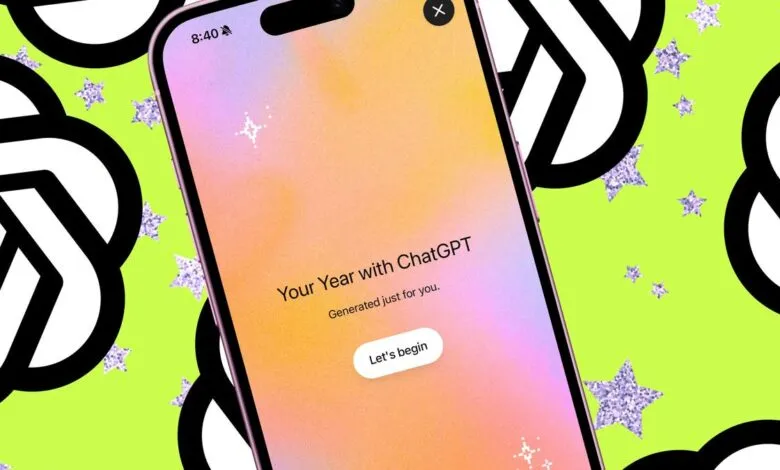
OpenAI has introduced a new year-end feature for ChatGPT users, offering a personalized summary of their interactions with the AI over the past year. This “Your Year with ChatGPT” experience, reminiscent of popular annual recaps like Spotify Wrapped, is designed to highlight key themes and conversation patterns. Available to all users, including those on free accounts, the recap aims to provide a lightweight and privacy-conscious look back at your AI engagements.
To access it, simply open ChatGPT on iOS, Android, or the web. The experience should start automatically. If it doesn’t appear, you can manually trigger it by asking the chatbot directly for “Your Year with ChatGPT.” However, there are important requirements for the feature to function properly.
The recap only works if you have previously enabled the “Reference saved memories” and “Reference chat history” settings. Many users, often for privacy reasons, keep these features disabled. If they are turned off, you will encounter an error message instructing you to enable them, as the recap needs access to your past conversations to generate insights. Content from Temporary Chat sessions is also excluded from the summary.
If you decide to turn Memory on to get your recap, note that it may take some time to fully populate, as the system needs content to analyze. Other reasons you might not see the feature include a gradual rollout still in progress, not meeting a minimum activity threshold, using a Team, Enterprise, or Education account, or residing in a country where the feature is not yet supported.
Beyond this official recap, users have discovered other methods to learn what ChatGPT knows about them. By using specific prompts, you can ask the chatbot to analyze your character, identify your chatting patterns, or even track your personal growth over time. The more extensive your conversation history, the more detailed and insightful these analyses can become, as the AI has a richer dataset to draw from for its reflections.
(Source: ZDNET)