3 Free AI Tools I Used Most in 2025 (Expert-Tested)
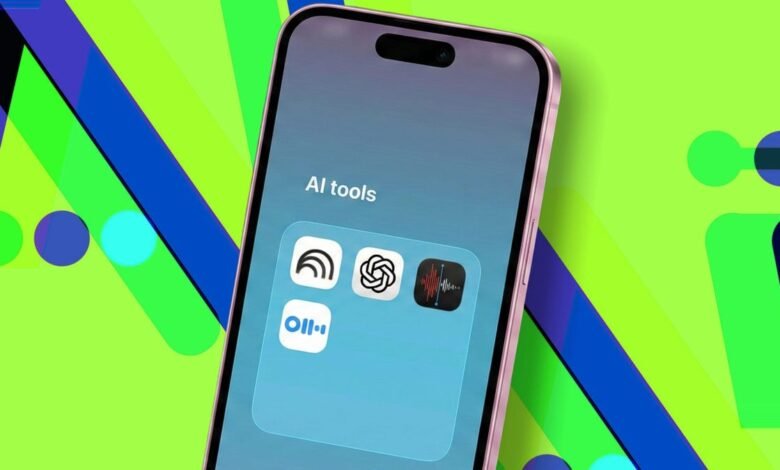
▼ Summary
– The author finds significant daily productivity gains from using specific, free AI tools, with NotebookLM being their most relied-upon application for organizing and querying personal documents and interviews.
– NotebookLM is highlighted for its ability to create private, source-based repositories, providing accurate, footnoted answers from uploaded files without external internet data.
– Apple’s Voice Memo transcription feature is valued for its free, native ability to generate and search transcripts, which the author combines with NotebookLM for efficient audio content review.
– ChatGPT remains the author’s preferred chatbot due to consistent feature updates, specifically praising its Voice Mode for conversational understanding and Deep Research for autonomous web compilation.
– The author’s tool recommendations are intended to inspire personal workflow integration, acknowledging that a saturated market makes finding reliable, hype-free tools a valuable win.
Finding the right free AI tools can genuinely transform how you work, saving time and boosting productivity without straining your budget. After extensive daily use throughout the year, a select few applications have proven indispensable for managing information, handling audio, and conducting research. These expert-tested tools offer real productivity gains and are available at no cost, making them valuable additions to any digital toolkit.
A recent moment of reflection made me appreciate just how integral certain applications have become to my daily routine. While the market is flooded with options, a handful consistently deliver reliable value, cutting through the hype to make tangible differences in efficiency. This list isn’t about prescribing a one-size-fits-all solution, but rather sharing practical tools that might inspire new ways to streamline your own projects.
NotebookLM stands out as a cornerstone for information management. Since its launch, it has garnered significant attention from power users and professionals, and for good reason. It serves as a personal repository where you can upload various files, documents, PDFs, presentations, and audio recordings. The real advantage is its focused chatbot interface, which queries only your uploaded content. This means answers are drawn directly from your source material, avoiding the inaccuracies that can come from general web data.
The quality of its responses is particularly impressive for detailed work. When writing articles based on multiple interviews, it becomes a powerful organizational aid. You can compile all transcripts into a dedicated notebook and search for specific questions or topics. The tool provides answers with clear footnotes, showing exactly which source provided the information, and allows for follow-up questions within the same context. You can also pin important findings to a notes sidebar, ensuring nothing gets lost. While other apps like Otter.ai offer similar question-asking features, their responses often feel less comprehensive. A notable limitation of NotebookLM is the lack of timestamps in audio transcripts, but a simple workaround leads to the next essential tool.
For handling audio, Apple’s Voice Memo transcription feature has become a daily go-to. Whether you’re recording meetings, lectures, or personal notes, its automatic transcription is remarkably convenient. A built-in search function lets you find specific terms within a recording and instantly jump to that point in the audio. I frequently use it in tandem with NotebookLM: first locating a conversation segment with the AI, then switching to Voice Memo to listen to the exact audio clip for clarity or to refine a transcript. The fact that it’s completely free and built natively into iOS 18.0 or later on recent iPhones makes it incredibly accessible. It’s worth noting that while I still use Otter.ai for professional meetings, the combination of NotebookLM and Voice Memo handles my personal projects perfectly without a subscription.
When it comes to a versatile AI assistant, ChatGPT, specifically its Voice Mode and Deep Research features, maintains a loyal spot in my workflow. The initial choice often comes down to which tool you explore first, but ChatGPT has retained its position through consistent, valuable updates. Voice Mode has been a staple since last year, functioning like a voice assistant that truly grasps conversational context and offers substantive advice. It’s so integrated into my routine that I’ve even mapped it to a shortcut button.
A practical test involved planning a New Year’s trip. Comparing voice assistants, ChatGPT provided more satisfactory integration and useful recommendations, directly influencing our final booking decision. The newer Deep Research feature, launched recently, has become a key asset. It works autonomously to scour the web and compile detailed, sourced reports on any topic while you focus on other tasks. The applications are vast, whether you’re investigating a subject for work, school, or a personal interest.
(Source: ZDNET)