I switched my smart home from Wi-Fi to Thread and fixed my router crashes
▼ Summary
– The author’s router frequently crashed due to congestion from too many Wi-Fi smart home devices holding open connections.
– Thread is a low-power wireless mesh network for smart home devices that runs separately from Wi-Fi, preventing bandwidth competition.
– Matter is a universal smart home standard supported by Google, Apple, Amazon, and Samsung that allows direct device setup in the Google Home app without separate apps or unstable integrations.
– After moving 14 devices to Thread, the author’s router stopped crashing, device response times improved, and battery life on sensors increased.
– Google Home’s Matter support has gaps, such as showing fewer device controls and creating separate Thread networks, requiring factory resets to merge.
I manage roughly 30 smart home gadgets through Google Home , bulbs, plugs, motion sensors, a leak detector, and a couple of door sensors. They all share my Wi-Fi network with my phone, laptop, and TV. But my router started freezing up once or twice a week. Rebooting it by unplugging, waiting 30 seconds, and plugging it back in didn’t solve the issue.
The root cause was network congestion , too many smart devices holding open connections on the same Wi-Fi band. After months of researching common smart home problems and potential fixes, I realized the solution wasn’t a better router. I needed to move those devices off Wi-Fi entirely.
Why Thread matters for Google Home users
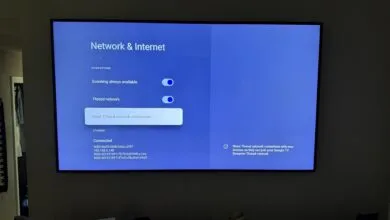
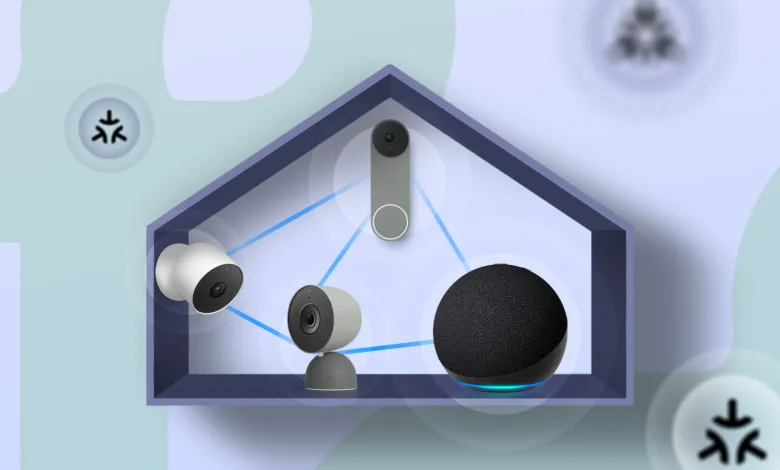
Thread is a low-power wireless mesh network built specifically for smart home devices. It runs completely separate from your Wi-Fi, so a Thread bulb or sensor won’t compete with your phone or laptop for bandwidth on your router. What makes this useful for Google Home users is Matter, a shared smart home standard supported by Google, Apple, Amazon, and Samsung. With Matter, you can set up and control Thread devices directly from the Google Home app on your Android phone.
Before Matter, buying a Nanoleaf bulb or Eve sensor meant using their respective apps and relying on unstable integrations to work with Google Home. Matter skips all of that , scan one code, and the device is ready to use on Google Home. When you pair a Matter-over-Thread device, your phone uses Bluetooth to start the connection, and then the device joins your Thread mesh instead of your Wi-Fi network. The whole process takes about 30 seconds.
You do need a Thread border router to bridge the mesh to the rest of your network. Several Google devices work as border routers, including the Nest Hub (2nd Gen), Nest Hub Max, Nest Wifi Pro, and the Google TV Streamer, which doubles as a smart home hub.
How my setup worked through Google Home
I started with Nanoleaf Essentials bulbs because they were affordable and worked natively with Thread. I opened Google Home on my Pixel, scanned the Matter code on the box, assigned the bulb to a room, and it was done in about 30 seconds. I swapped four bulbs around the house this way.
Eve was another standout. I picked up an Eve Energy smart plug and an Eve Door and Window sensor, both around $30 to $40 each. Eve built its recent lineup entirely around Thread, and both devices paired through Google Home without any trouble.
I also grabbed an Aqara Door and Window Sensor P2 with Thread connection and a two-year battery life on paper. Just be careful with Aqara , it still sells several Zigbee-only products that need a separate hub. Always check the model number for Thread support before buying.
All three brands worked well inside Google Home for basic controls like on/off, brightness, and automation triggers. The setup experience through the app was identical for all brands, and that’s the whole point of Matter.
The results after three months
I’ve moved 14 devices from Wi-Fi to Thread so far, and my router hasn’t crashed once in three months. I didn’t upgrade the router, change my internet plan, or tweak any settings.
First, I noticed improved response times. My Eve door sensor triggers a Google Home automation in under a second. The Wi-Fi sensor I used before sometimes took two or three seconds , not long, but noticeable when you’re stumbling in the dark waiting for a light to come on.
Thread’s mesh also gets stronger the more devices you add. Every mains-powered device, like a smart plug or an always-on bulb, acts as a relay for battery-powered sensors nearby. In contrast, every new device on Wi-Fi adds congestion.
I also noticed better battery life on the Thread sensors, particularly with the Aqara P2. It has barely lost charge after three months, which aligns with its two-year claim. That’s because Thread was built for low-power devices from the start.
Thread worked, but Google Home is slow to catch up
Google Home handles basic Matter devices fine, but it’s been slow to adopt newer features that platforms like Samsung SmartThings already support. I had a couple of devices pair successfully but then show fewer controls in Google Home than they did in the manufacturer’s own app.
Also, my Nest Hub and Google TV Streamer each created their own separate Thread networks, so I had to factory reset one before they could merge. Thread 1.4 fixes this with automatic credential sharing, but older Google hardware doesn’t support it yet.
Nanoleaf was a bit of a disappointment as well. The company supported Thread early but has now moved some newer products to Wi-Fi only. Always check the product page before assuming Thread support.
What I’d recommend if you’re starting fresh
If you have a Nest Hub (2nd Gen), Nest Wifi Pro, or Google TV Streamer, you already have a Thread border router. From there, adding Thread devices is straightforward through the Google Home app on any Android phone.
Start with one or two devices, like a smart plug and a bulb, to see how the mesh performs before committing to a full swap. I migrated in batches over three months, which gave me time to troubleshoot each addition. Doing it all at once would have made it harder to pinpoint problems.
Wi-Fi smart home devices like cameras and streaming devices are still here to stay. But for everything else clogging up my router, Thread is definitely the better option across the board.
(Source: Android Police)