Microsoft Clarity Now Flags Bots Ignoring Robots.txt
▼ Summary
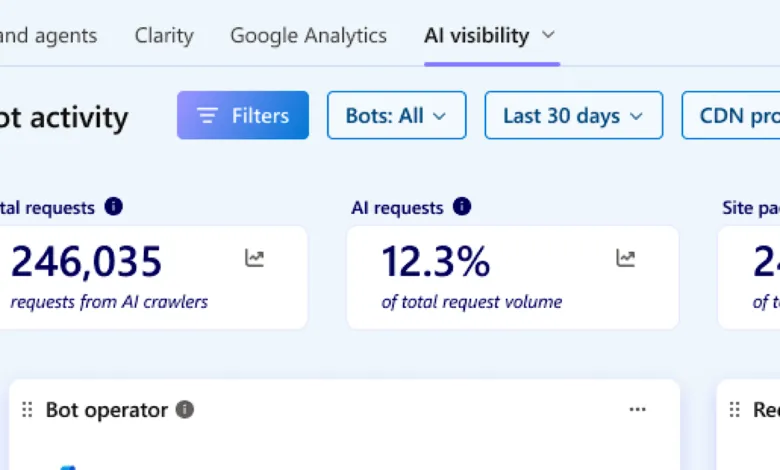
– Microsoft Clarity’s Bot Analytics dashboard now calculates and shows disallowed bot requests as a percentage of total bot activity over a given time frame.
– The feature checks bot requests against a site’s robots.txt rules and allows filtering by bot operator, name, activity type, and requested URLs.
– It must be enabled by a project admin in the AI Visibility section of Project Settings and supports CDNs like Fastly, CloudFront, and Cloudflare.
– Clarity only records requests that reached disallowed paths, as robots.txt is advisory and does not block requests.
– The tool automates counting rule-breaking crawler requests, replacing manual server log parsing and URL testing.
Microsoft Clarity has introduced a new feature that identifies bot requests violating a site’s robots.txt rules, as detailed in a recent company announcement. This data now appears in the tool’s Bot Analytics dashboard, offering site owners a clearer view of non-compliant crawler behavior.
The system calculates these disallowed bot requests as a percentage of total bot activity within a selected timeframe. This addition complements Clarity’s existing AI Visibility tools, which since May have displayed the grounding queries behind AI-generated citations.
What the Violations View Reveals
When any bot makes a request to a Clarity-connected website, the tool cross-references that request with the site’s robots.txt directives to determine if the path was blocked. Requests that violate these rules are then aggregated and shown as a percentage of overall bot traffic.
Site owners can filter this data by bot operator, bot name, request activity type, and specific URLs or paths. This allows for direct comparison between crawlers known to follow rules and those that ignore them. The feature presents a side-by-side view, contrasting compliant crawlers with those showing violations.
How to Activate the Feature
This capability is not enabled by default. A project admin must activate it within the AI Visibility section of Project Settings, but only for sites using a supported CDN. Supported providers include Fastly, Amazon CloudFront, Cloudflare, Azure Front Door, and Akamai. WordPress sites running the latest Microsoft Clarity plugin are also eligible.
Why This Matters
Given the growing concern over AI crawlers consuming server resources and distorting analytics, this feature provides essential visibility. Since Clarity is free, it offers a cost-effective method to monitor whether crawlers respect site rules. However, it only records that a request occurred, not the reason behind it.
The data covers only requests that reached paths explicitly disallowed by a site’s robots.txt. Because robots.txt is advisory and not a blocking mechanism, Clarity logs requests that passed through rather than those it stopped. This move acknowledges that manually parsing server logs and testing URLs against robots.txt is not scalable. Clarity now automatically counts requests from crawlers that breach a site’s directives.
Looking Ahead
Websites now have a more accurate, automated way to assess compliance with robots.txt rules. The real question is whether making this behavior easier to measure will influence crawler behavior or simply help site owners maintain a clearer record of activity.
(Source: Search Engine Journal)