Gmail Live adds AI search to AI Plus and AI Pro
▼ Summary
– Google announced Gmail Live, a new voice search feature with a Gemini Live-style interface, rolling out this summer to AI Pro and Ultra subscribers in the US.
– Gmail Live allows natural language queries with follow-ups and topic switching, showing a transcript of questions and responses.
– AI Inbox, previously limited to AI Ultra subscribers, is now expanding to AI Plus and AI Pro subscribers.
– AI Inbox organizes emails by “Suggested to-dos” and “Topics to catch up on,” accessible from the side panel on web and bottom bar on mobile.
– New AI Inbox capabilities include marking tasks as done, dismissing suggestions, direct shortcuts to Docs/Sheets/Slides, and contextual draft replies.
At the 2026 I/O conference, Google unveiled two major enhancements for Gmail, headlined by a new AI-powered Live voice search experience.
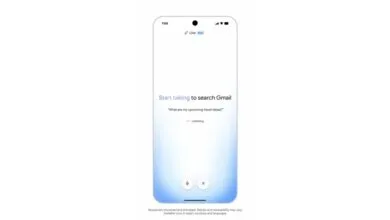
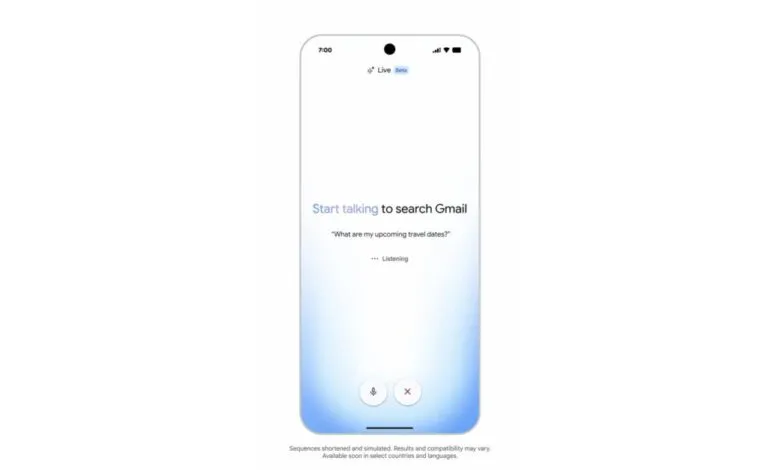
On mobile devices, users will now see a familiar waveform icon,the same one used in Gemini Live,integrated into the search bar. Tapping it launches a fullscreen interface where the waveform wraps around the screen’s edge. A live transcript displays both your query and Gmail’s responses, while bottom buttons allow you to mute the microphone or exit the session.
You can ask questions in natural language and maintain a flowing conversation with follow-ups and topic shifts, much like Gemini Live but tailored specifically for Gmail’s ecosystem.
Rollout for Gmail Live begins this summer for Google AI Pro and AI Ultra subscribers in the US (English only) on both Android and iOS.
Previously, Google’s AI Inbox was exclusive to AI Ultra tier. Now, that capability is expanding to AI Plus and AI Pro accounts, complete with new features. Instead of organizing by individual messages, AI Inbox groups content into “Suggested to-dos” and “Topics to catch up on.” On the web version, it lives in the side panel just below your regular inbox; on mobile, it’s accessible from the bottom bar.
New functionality includes the ability to mark tasks as complete or mark all emails under a topic as read. You can also dismiss suggestions you don’t need. When relevant, each card now offers direct shortcuts to mentioned Docs, Sheets, or Slides from the email. Finally, contextual and personalized draft replies are available to help you respond immediately.
(Source: 9to5google.com)