Google Photos Recap Reveals Your Year in Selfies

▼ Summary
– Google Photos has launched its 2025 Recap feature, which provides users with a year-end summary of their photos using an updated, Spotify Wrapped-like presentation format.
– New insights for 2025 include a selfie count and, for US users with Gemini, highlights of standout hobbies and top moments from the year.
– Users can now hide specific people or photos from their Recap and regenerate a version they are more comfortable viewing or sharing.
– The Recap includes updated sharing features, like a carousel of curated videos and collages, and a new option to share directly to WhatsApp status.
– A new integration with CapCut allows users to easily edit their Recap with exclusive templates for quick customization.
The annual Google Photos Recap is now live, offering a personalized visual summary of your year through photos and videos. This year’s edition introduces several notable features designed to enhance the experience, including a selfie tally, deeper editing integration, and more control over the content that appears. The presentation continues to evolve, offering a polished, shareable look back at your year’s memories directly within the app.
You can find the Recap in the Memories carousel, and it will remain pinned in the Collections tab for the entire month of December. A fresh insight for this year is a selfie count, which utilizes facial recognition to calculate how many times you turned the camera on yourself. This number might be surprisingly high for those who take multiple attempts to capture the perfect shot. Additionally, users in the United States with Gemini features activated will see summaries of their “standout hobbies and top highlights from the year.”
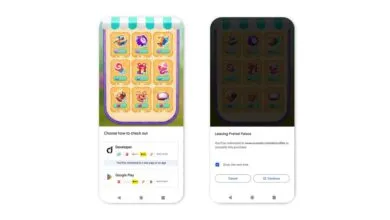
Google has also added a welcome layer of personalization by letting you hide specific people or photos from the Recap. Once you’ve made your selections, you can regenerate a new version of the Recap that better suits your preferences for viewing or sharing. The sharing capabilities themselves have been upgraded. The experience now concludes with a carousel of short videos and collages, curated specifically for posting on social media or sending in group chats. There’s also a new option to share your Recap directly to your WhatsApp status.
For those who want to fine-tune their recap further, a new CapCut integration simplifies the editing process. By tapping the “Edit with CapCut” button at the end of the presentation, your Recap exports directly to the CapCut app. There, you’ll have access to exclusive Google Photos templates for quick and easy customization before sharing your personalized year-in-review.
(Source: The Verge)