Unlock ChatGPT-5’s Hidden Power: 5 Must-Enable Settings
▼ Summary
– Voice mode allows hands-free spoken conversations with ChatGPT, making it useful for multitasking or when typing is inconvenient.
– Memory mode enables ChatGPT to remember user preferences and details across sessions, providing more personalized and consistent responses over time.
– Custom instructions let users set the tone, style, and level of detail for ChatGPT’s responses, reducing the need for repetitive prompt engineering.
– Advanced model switching for Plus subscribers allows toggling between fast responses and deeper reasoning modes depending on the task’s complexity.
– Data controls provide options to view, clear, or export chat history, giving users greater privacy management and backup capabilities.
Many users dive straight into typing queries without realizing the full potential waiting just beneath the surface of ChatGPT. Customizing a few key settings can dramatically enhance your experience, making interactions more intuitive, personalized, and efficient. Whether you’re looking for hands-free convenience or deeper contextual understanding, these adjustments are simple to make and deliver impressive returns.
One of the most engaging features is Voice Mode, which transforms your interaction from text-based to spoken conversation. Available through the mobile app, this setting offers multiple natural-sounding voice options and works seamlessly hands-free. It’s perfect for situations like cooking or gardening where typing isn’t practical. For an even richer experience, enable the camera to let ChatGPT respond to visual cues in real time.
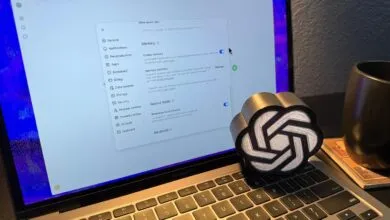
Another game-changer is Memory Mode, allowing the AI to retain details about your preferences, tone, and past conversations. This means you won’t need to repeat yourself in future chats, the assistant remembers your style and interests, delivering increasingly tailored responses. While not ideal for privacy-conscious users, it makes the tool feel more like a dedicated personal aide.
For those who want consistent tone and style, Custom Instructions let you define how ChatGPT should respond every time. You can specify whether you want answers to sound like a teacher, a coach, or any other persona, and even set preferences for formality and detail. This eliminates the need for repetitive prompt engineering and keeps interactions aligned with your expectations.
Subscribers to ChatGPT Plus gain access to Advanced Model Switching, which lets you toggle between fast responses and deeper, more thoughtful analysis. Use the quick mode for straightforward questions, and switch to the thinking mode for complex problems requiring careful reasoning. This flexibility ensures you get the right kind of answer for each task.
Finally, don’t overlook Data Controls & Export, located in the privacy settings. Here, you can review, delete, or download your entire chat history. This not only helps you maintain privacy but also provides a useful backup of your conversations, offering peace of mind and greater control over your data.
Together, these features elevate ChatGPT from a simple chatbot to a powerful, adaptive assistant. Enabling them takes only moments, but the payoff in usability and personalization is significant. Try adjusting these settings to discover a smarter, more responsive AI partner.
(Source: Tom’s Guide)