Older Kindles Lose Support: What Still Works This Week
▼ Summary
– Amazon is ending support for older Kindle models (released before 2013) on May 20, affecting devices like the 1st and 2nd generation Kindle, Kindle Keyboard, and 1st generation Kindle Paperwhite.
– After support ends, these Kindles will still turn on and allow reading of already-installed books, but users cannot purchase, borrow, or download new content from the Kindle Store.
– One option is to download as many books as possible before the shutdown and continue using the device with only those preloaded books.
– Users can try sideloading books or jailbreaking the device, but this likely violates Amazon’s terms of service.
– The recommended alternative is to purchase a new e-reader, as Amazon has limited options for old Kindle owners.
If your older Kindle has been your loyal reading companion for the better part of a decade and a half, you might be feeling a little abandoned this week. Amazon has officially pulled the plug on support for a swath of legacy devices, effective May 20. That does not mean your e-reader is destined for the recycling bin, but it does mean you will need to adjust your expectations. Here is a clear breakdown of what is changing and what still works.
First, it helps to know exactly which models are affected. The list includes the original Kindle (1st generation), Kindle 2, Kindle DX, Kindle DX Graphite, Kindle Keyboard, Kindle 4, Kindle Touch, Kindle 5, the first-generation Kindle Paperwhite, and several early Fire tablets (1st and 2nd generation Fire, Fire HD 7, and Fire HD 8.9). In short, if your device hit the market before 2013, it is on the chopping block. This primarily impacts readers who have stubbornly held onto the same hardware for over ten years.
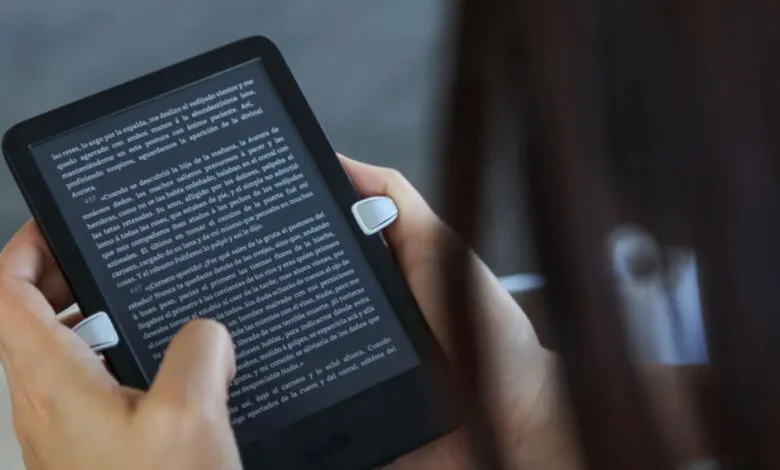
So, what does “ending support” actually mean? According to Amazon, these devices will no longer be able to purchase, borrow, or download new content via the Kindle Store. The hardware itself will still power on, and you can absolutely continue reading any books already stored on the device. The key loss is the direct pipeline to Amazon’s digital storefront. You will not be able to buy a new novel or borrow a library title directly from that specific Kindle.
You do have a few paths forward. The simplest option is to download as many books as possible before the deadline and accept that your library is now frozen on that device. For more tech-savvy users, some are exploring sideloading books or jailbreaking their devices, as noted by PCMag. Be warned, however, that these workarounds almost certainly violate Amazon’s terms of service.
If neither of those solutions sounds appealing, your most reliable move is to shop for a replacement. We have compiled a list of the best e-readers available so far in 2026. Spending money on a new device is never fun, but Amazon has essentially left longtime fans with very few comfortable alternatives.
(Source: Mashable)