Logitech’s MX Creative Console now controls Microsoft Office
▼ Summary
– Logitech released Productivity Plugins for its MX line, expanding the MX Creative Console’s support to apps like Microsoft Office, Slack, and Notion.
– Users can access shortcuts and tools via Actions Ring menus, customizable through the Logi Options Plus app, on accessories like the MX Master 4 mouse.
– The MX Creative Console allows creating dedicated buttons for functions such as replacing text in Word or switching Slack workspaces.
– The new Productivity Plugins are available for free download from the Logi Marketplace.
– Logitech improved its Easy Switch feature, enabling one button press to switch up to three connected devices simultaneously, with a required firmware update.
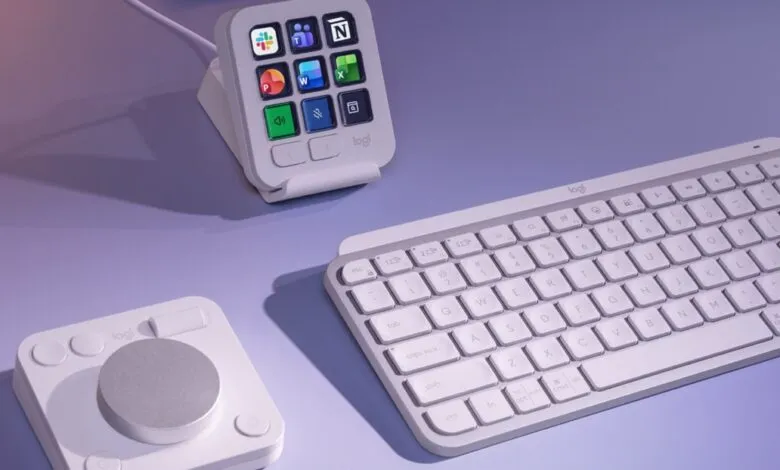
Logitech is bringing its MX Creative Console into the productivity world. The company has unveiled a fresh set of Productivity Plugins designed for its entire MX accessory lineup, including the MX Creative Console, which competes directly with the Stream Deck. Since its launch in September 2024, the console has steadily gained plug-in support for creative tools like Final Cut Pro, Adobe Lightroom, and Figma. Now, that focus is broadening to include essential workplace applications.
The new plug-ins extend support to Microsoft Office staples such as Word, Excel, and PowerPoint, along with collaboration tools Slack and Notion. Users can quickly access shortcuts, actions, and specific tools within these apps through Logitech’s Actions Ring menus. These menus are compatible with devices like the MX Master 4 mouse and the MX Mechanical Mini keyboard. The Action Rings are managed through the Logi Options Plus app, which serves as the central hub for customizing the functionality of Logitech’s accessories.
With the MX Creative Console, you can assign dedicated buttons for common tasks across these newly supported apps. For example, you can set a button to replace text in Word, insert cells in Excel, switch between Slack workspaces, or format to-do lists in Notion. The Productivity Plugins are available now as a free download through the Logi Marketplace.
In addition to the plug-ins, Logitech has enhanced its Easy Switch feature. This upgrade allows mice and keyboards to connect and switch between multiple computers more seamlessly. Previously, you had to press the Easy Switch button on each device individually. Now, by configuring the Logi Options Plus app, pressing the button on an MX Keys S or MX Keys Mini keyboard will automatically switch an MX mouse and the MX Creative Dialpad as well. A single button press can move up to three devices simultaneously. Logitech notes that a firmware update will be required for the accessories you intend to use with this feature, and the company plans to expand support to additional keyboards in the MX line over time.
(Source: The Verge)