How to Disable YouTube Shorts
▼ Summary
– YouTube now allows users to set a zero-minute time limit on the Shorts feed, which effectively removes Shorts from the app.
– This is an update to a Shorts timer feature that was originally announced in October, with a previous minimum limit of 15 minutes.
– The feature was expanded in January to give parents control over their children’s Shorts viewing time.
– A YouTube spokesperson states the zero-minute option is now live for all parents and is being rolled out to all users.
– The update applies to both the Android and iOS versions of the YouTube app.
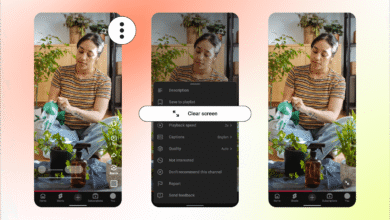
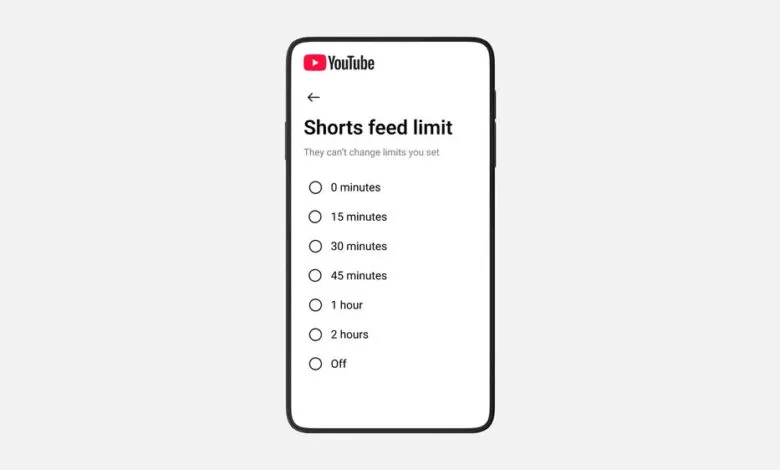
For users seeking to minimize distractions and reclaim their focus, YouTube has introduced a significant update to its time management tools. The platform now allows you to set a zero-minute time limit on its Shorts feed, effectively disabling the short-form video feature within the mobile app. This new setting builds upon the Shorts feed timer first launched last October, which previously had a minimum limit of 15 minutes.
This enhancement provides a powerful tool for digital well-being, giving users direct control over their viewing habits. The option to completely turn off the feed is particularly useful for those who find the endless scroll of Shorts disruptive. Initially, this zero-minute limit was part of a January update focused on parental controls, allowing guardians to restrict their children’s access. At that time, YouTube indicated the broader user rollout was imminent.
According to YouTube spokesperson Makenzie Spiller, the feature is now fully available. “The option to set the timer to zero is live for all parents, and is currently being rolled out to everyone,” Spiller confirmed. This means both supervised accounts and regular users on Android and iOS devices can access this setting. To implement it, navigate to your YouTube app’s settings, find the time management section, and adjust the Shorts feed timer to zero minutes. This action will hide the Shorts tab from your interface, helping you create a more intentional viewing experience.
(Source: The Verge)