Crimson Desert PC: One Setting Change Boosts Frame-Rate
▼ Summary
– The PC version of Crimson Desert performs well on a mainstream setup like a Ryzen 5 3600 and RTX 4060 at 1440p using DLSS, with lighting quality being the most critical performance setting.
– The game uses a shader compilation step at boot for smooth performance, is primarily GPU-limited, and maintains 50-60fps in most areas, though crowded scenes demand more CPU power.
– Frame Generation with an RTX 4060 can significantly boost frame rates, but adds input latency, while the graphics menu lacks helpful previews for settings changes.
– Ray tracing has a minimal performance cost and is recommended to stay on, whereas the Lighting Quality setting, especially Max, has a massive performance impact of up to 30%.
– Using Digital Foundry’s optimized settings, which adjust lighting and volumetric fog, provides substantial performance gains over the max presets with minimal visual loss.
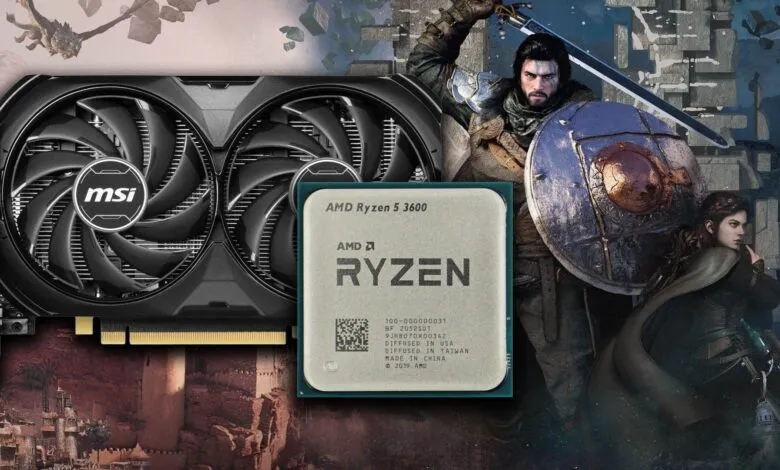
Early performance analysis for the PC version of Crimson Desert reveals a surprisingly accessible experience, even on mainstream hardware. A system pairing a Ryzen 5 3600 CPU with an Nvidia GeForce RTX 4060 GPU can achieve smooth gameplay at 1440p resolution using DLSS 4.0 Balanced mode. The single most critical setting for unlocking this performance is Lighting Quality, where avoiding the Max and Cinematic presets in favor of Ultra delivers a dramatic frame-rate improvement.
Extensive testing of every graphics option has yielded a set of optimized settings that maximize visual fidelity while maintaining high performance. For a title that employs ray tracing extensively, the overall experience is stable, largely due to a comprehensive shader compilation process at startup. On the tested Ryzen 5 3600, frame-times remained consistent, with only a single noticeable stutter in the first hour of play. The game is predominantly GPU-limited, with performance generally hovering between 50 and 60 frames per second.
The opening scripted sequences are the most demanding, occasionally dipping into the 40s, but sustained drops below 60fps are otherwise rare. Maintaining that 60fps threshold, however, does require capable CPU performance, especially in dense, entity-heavy scenarios like the large-scale battle on Bug Hill or when provoking city guards in Demeniss. In these areas, frame-rates can fall into the high 30s. Enabling Frame Generation provides a significant uplift, pushing the RTX 4060 into a 70-90fps range even in taxing scenes, though it adds approximately 15-20 milliseconds of input latency.
The graphics menu itself is functional, allowing changes without a restart, but it lacks detailed on-screen explanations for its settings, and the preview image does not facilitate easy comparisons. Regarding VRAM limitations, an 8GB GPU is sufficient if you avoid the Cinematic texture preset and stick with High, which is visually nearly identical. Cards with more than 8GB of memory can utilize the higher options freely.
A deep dive into the settings reveals a curious finding: toggling ray tracing on and off offers a minimal performance gain of just 1-2 fps on an RTX 4070 Ti. This is because the game uses a hybrid rendering approach, leaning on radiance caches and screen-space techniques, with RT adding fine detail using a low ray count. Disabling it shifts the workload to fallback systems without altering the core lighting, making it advisable to leave RT enabled for its benefits to light bounce and reflections.
The Lighting Quality setting stands in stark contrast as the largest consumer of GPU resources. The Max preset activates ML-based ray reconstruction and regeneration denoisers, which can reduce performance by up to 30 percent. Simply stepping down from Max to Ultra, thereby avoiding these intensive features, can effectively double your frame-rate. For our optimized profile, we selected Ultra, which gains an eight percent performance advantage over Cinematic with virtually no visual loss.
Further gains come from adjusting Volumetric Fog Quality down to Low and moving Model Quality from Cinematic to Ultra. Beyond these key changes, tweaking other settings yields only minor, often imperceptible, performance returns. The optimized settings focus on these high-impact adjustments.
Testing across four configurations,Max (without ray reconstruction), Cinematic, the Digital Foundry optimized settings, and equivalents to the PS5’s Balanced mode,demonstrated clear benefits. In one scene, switching from Max to Cinematic yielded a 39 percent performance increase. The optimized settings provided a further 11 percent boost over Cinematic. The PS5-equivalent settings were only three percent faster than our optimized choices, a trade-off we found acceptable for the significantly higher visual presets used in our configuration.
In a more demanding area, lowering Lighting Quality from Max to Cinematic alone produced a 50 percent frame-rate increase. Our optimized settings then delivered an additional 14 percent gain over the Cinematic preset. Interestingly, in this specific test, the PS5-equivalent settings showed no performance improvement over our optimized selection.
While the options menu lacks extensive scalability, the fact that Crimson Desert delivers a pleasing 1440p experience on a modest RTX 4060 paired with an older CPU suggests a solid technical foundation for its PC release.
(Source: Digitalfoundry.net)