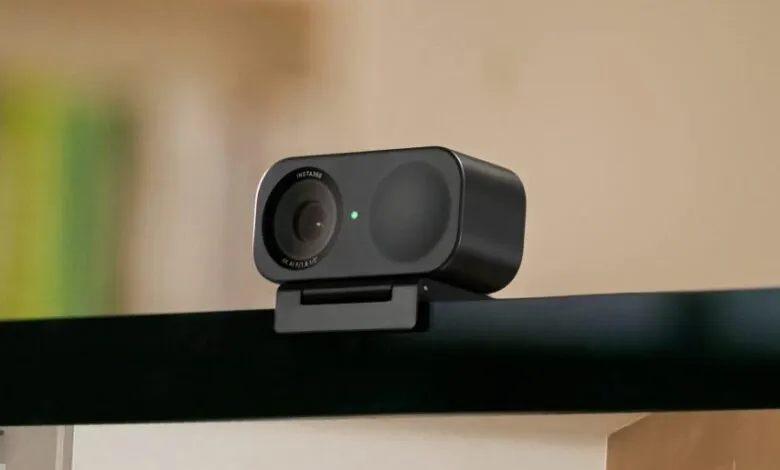
Insta360 Link 2C webcam is 20% off for 4K quality
▼ Summary
– The Insta360 Link 2C webcam is currently on sale for $119.99, which is its lowest price this year and close to its all-time low.
– It lacks a motorized gimbal but uses AI-powered auto framing to digitally keep subjects centered in the frame.
– The webcam features a half-inch sensor and can record video at up to 4K 30fps, a step up from most built-in laptop cameras.
– It includes useful features like a magnetic mount, gesture controls, and modes for showing your desk or a whiteboard.
– The device also has a background noise filtering feature to reduce unwanted sounds during calls.
For anyone who regularly presents or connects over video calls, the quality of your webcam is a critical component of your professional presence. A significant discount on a capable model offers a prime opportunity for an upgrade. The previous-generation Insta360 Link 2C is now available for just $119.99, a $30 reduction from its standard price at major retailers like Amazon, Best Buy, and B&H Photo. This represents the most competitive price we have tracked in 2026 and sits a mere $20 above the webcam’s all-time low, making it an exceptional value.
As the most affordable model in the Link series, the 2C does not include the motorized gimbal found on its higher-end siblings. It cannot physically track your movement around a room. Instead, it employs sophisticated AI-powered auto framing to digitally zoom and adjust the crop, ensuring you and others remain centered in the shot. The core imaging hardware, however, is robust. It features a half-inch sensor paired with a 26mm equivalent f1.8 lens, enabling crisp video at up to 4K resolution at 30fps or 1080p at 60fps. This delivers a clear, detailed picture that far surpasses the grainy 720p or basic 1080p from most integrated laptop cameras.
Designed with presenters in mind, the Link 2C includes a versatile magnetic mount for effortless attachment to monitors or laptop lids. Its suite of gesture controls allows for hands-free operation, letting you zoom or trigger features remotely without touching your keyboard. Specialized modes enhance its utility for demonstrations. The DeskView mode easily captures an overhead shot of your workspace, while the Smart Whiteboard mode intelligently frames and corrects a whiteboard’s perspective, keeping it legible for everyone on the call. An added benefit is the built-in capability to filter out background noise, such as keyboard clatter or street sounds, ensuring your voice comes through clearly.
(Source: The Verge)