OpenAI’s new tool works for you and with you

▼ Summary
– ChatGPT Work can now run automated tasks for hours, addressing the previous limitation where “Agent Mode” tasks stopped after a few minutes.
– Users are encouraged to test ChatGPT Work on familiar tasks like budget analysis or sales meeting preparation, and it can automate entire workflows from research to marketing assets.
– The tool requires user approval for important actions and integrates Scheduled Tasks, which run on a schedule or when triggered by an event, even when the user is away.
– ChatGPT Work connects to workplace tools like Slack, Microsoft Teams, Google Drive, and SharePoint via custom plugins, and the desktop version can access local files and online resources.
– An updated ChatGPT Chrome extension enables web-native tasks without leaving the browser, and OpenAI is sunsetting its dedicated Atlas web browser.
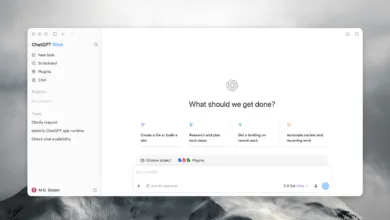
When we first tested OpenAI’s “Agent Mode” inside the Atlas browser last year, the biggest frustration was clear: automated tasks would stall after just a few minutes, making it nearly useless for any serious or extended workflow. With the launch of ChatGPT Work today, OpenAI says it has finally cracked that limitation. The company describes the new tool as one that can “stay with a project for hours if needed, and turn a goal into finished work.”
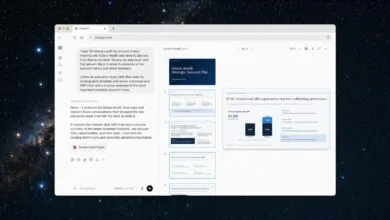
To get users comfortable, OpenAI is urging them to “give it a task you already know well,” whether that’s analyzing a budget or preparing for a sales meeting. The company claims ChatGPT Work can automate entire workflows, from initial customer research all the way through to a campaign brief and even locally tailored marketing assets. But the system is designed to keep humans in control: OpenAI emphasizes that the tool will pause and wait for you to “approve important actions” before moving forward.
A major new feature in ChatGPT Work is Scheduled Tasks, a more powerful version of cron jobs that can handle repetitive work on a set schedule or whenever a specific event occurs. These tasks can keep running even when you step away from your desk, and you can monitor progress from your phone, according to the company.
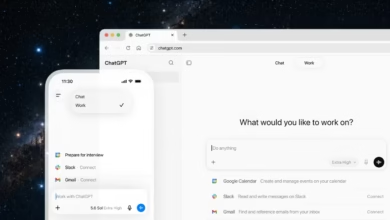
On the integration front, ChatGPT Work connects with common workplace tools like Slack, Microsoft Teams, Google Drive, and SharePoint through a variety of custom plugins. The desktop version can also read and modify files stored locally or use a built-in browser to pull information from the web. OpenAI also announced an updated ChatGPT Chrome extension that lets you perform web-based tasks without leaving your browser. Notably, the company says its dedicated Atlas browser is being retired, less than nine months after it launched.
(Source: Ars Technica)