ChatGPT vs Claude: Which AI handled my files best?
▼ Summary
– ChatGPT Work successfully reorganized 447 PDF files in a test folder, renaming generically named files and removing duplicates, a task Claude Cowork had previously performed on a similar folder.
– The project used 11% of the author’s $20/month ChatGPT Plus plan capacity, with the author estimating this equates to saving about 15 hours of tedious work per month for the cost.
– A major concern is that ChatGPT Work never asked for permission before modifying files, despite being set to “Ask for Approval” mode, unlike Claude Cowork which consistently requests approval for changes.
– ChatGPT Work caught duplicate files (which Cowork missed) but failed to identify generically named files (which Cowork did), showing complementary strengths and weaknesses between the two AI tools.
– The author recommends using Claude Cowork for high-stakes projects requiring oversight until OpenAI fixes the permissions issue, but notes overall quality is similar between the two tools.
ChatGPT Work launched last week, and I put it through a rigorous file organization test to see how it stacks up against Claude Cowork. The project involved cleaning up a messy folder of PDFs, and while the results were largely positive, one critical flaw makes me hesitant to fully trust this tool with important tasks.
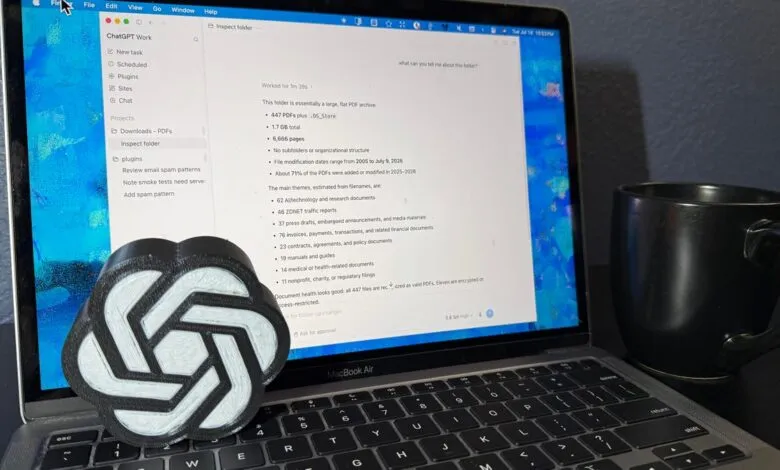
The test was straightforward: organize 447 PDF files in a test folder by their content, not just file type. I gave ChatGPT Work the same assignment I gave Claude Cowork back in January, when there were only 308 files. First, I asked Work to analyze the folder. It quickly provided details on file count, storage size, page numbers, main themes, and even encrypted files. It also identified duplicates, something Cowork had missed. Work even noted that one set of duplicates had “unrelated-looking names,” indicating it compared file content, not just names or sizes. Impressive.
I then asked it to remove the duplicates, which it did immediately. But here’s the red flag: it never asked for permission. Despite being set to “Ask for Approval” mode, Work proceeded without any confirmation prompts. This is a major deal breaker for me. Claude Cowork always asks before making big changes like moving or renaming files. ChatGPT Work moved and renamed hundreds of files without a single approval request.
Next, I asked Work to rename generically named files. It analyzed the content and proposed new names, which were solid. However, the initial presentation was messy, and it took an extra prompt to get a readable format. Once done, I instructed it to organize the files into folders. It built a taxonomy, categorized the PDFs, and created subfolders. The result was clean and logical, similar to what Cowork produced. The only oddity was a minor formatting glitch in the category list.
Overall, the project took 1 hour, 13 minutes. That’s faster than I could have done it manually, but slower than I expected from agentic AI. Claude Cowork felt snappier for similar tasks. On the plus side, the project used only 11% of my $20 Plus plan’s monthly capacity, meaning I could do about 10 similar projects before hitting the limit. At $20 for potentially 15 hours of saved time, that’s a solid value.
Comparing the two, ChatGPT Work matched Claude Cowork in quality, with Work catching duplicates and Cowork flagging generic file names. But the permissions issue is a non-starter. Until OpenAI fixes it, Claude Cowork is the safer choice for high-stakes tasks. Once that’s resolved, the choice will come down to personal preference between the two platforms.
I’ll be running more tests on both, and I’m still disappointed that OpenAI removed classic ChatGPT Desktop features to make room for Work and Codex. Hopefully, that gets addressed too. For now, if you need oversight, stick with Claude. But if you’re willing to trade control for speed, ChatGPT Work is a capable tool.
(Source: ZDNet)