Google launches local document backups on Android, adds SMS & RCS toggle
▼ Summary
– Google is rolling out new toggles in Settings to let users control backup of SMS/MMS/RCS messages, call history, and device settings, which were previously always backed up.
– Google confirmed that the “SMS & MMS messages” toggle includes RCS messages despite the label.
– All Android data now counts toward Google Account storage, increasing average backups by about 40 MB.
– Google is testing a local Documents backup feature that saves downloaded files to Google Drive, supporting .DOC, .PPT, .XLS, .PDF, and other document types.
– Documents backup does not sync changes across locations, encrypts data in transit, and does not delete previous backups when turned off.
Starting this week, Google is giving Android users more control over their backup settings by introducing new toggles for SMS, MMS, and RCS messages. Alongside this change, the company is also beginning to roll out a local Documents backup feature for Android devices.
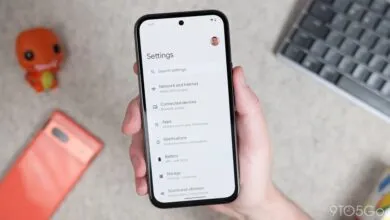
To find the new controls, head to Settings > Accounts and backup > Google Backup > Other device data (on Pixel phones). There, you will see fresh on/off switches for SMS & MMS messages, Call history, and Device settings. Previously, these three categories were automatically backed up without user input, but now you can decide which ones get uploaded to the cloud. This update joins the per-app toggles that Google launched recently.
Google confirmed to 9to5 that the “SMS & MMS messages” toggle also covers RCS messages, despite the label not explicitly mentioning it.
These updated settings are beginning to appear with version 26.25 of Google Play services. The change follows Google’s announcement earlier this week that all Android data now counts toward your Google Account storage quota. On average, this shift is expected to increase user backups by roughly 40 MB.
In a separate but related move, Google is testing a new Documents backup option. First previewed in February, this local file backup feature will “automatically save your downloaded documents to Google Drive, ensuring they are safe and accessible from any of your devices.” Once the feature is live, a new “Documents” menu will appear on the Backup page, alongside the existing Photos & videos and Other device data sections.
After enabling it, a folder named after your device will appear in Google Drive, with a shortcut provided on the backup page. Google explains that supported file types include . DOC, . PPT, . XLS, . PDF, and all other documents saved to the device. However, changes made to these documents in one location will not sync to other locations. Documents are encrypted during transfer between your device, Google services, and data centers. If you turn off the feature, your previous backup will not be deleted from Google Drive.
You can manually trigger a device backup to upload your latest Documents, but it otherwise follows the automated daily schedule. This feature is rolling out with the latest Google Play services beta.
(Source: 9to5google.com)