Google Chrome AI Skills Streamline Your Workflows

▼ Summary
– Google is adding a new AI feature called “Skills” to its Chrome browser, allowing users to save and reuse their favorite AI prompts across different web pages.
– The feature builds on the existing Gemini AI integration in Chrome, which lets users ask questions or summarize web page content.
– Users can save a prompt as a Skill from chat history and activate it with a forward slash or plus sign, applying it to the current or selected tabs.
– Google is launching a Skills library with pre-made prompts for common tasks like shopping or productivity, which users can also customize.
– The Skills feature begins rolling out to signed-in Chrome desktop users with their browser language set to English (US).
Google is expanding the AI toolkit within its Chrome browser, introducing a new system designed to make repetitive tasks far more efficient. Announced this week, the Skills feature allows users to save and reuse their most valuable AI prompts, applying them across different websites without needing to retype instructions each time. This development builds directly on the existing integration of Google’s Gemini AI into Chrome, arriving as several competitors launch their own AI-powered browsers.
While Gemini already enables users to ask questions about a page or summarize content, Skills elevates this functionality. It transforms one-off prompts into reusable tools. A common example involves recipe websites; if someone regularly asks for vegan ingredient substitutions, they can now save that specific query as a Skill. Later, viewing any recipe online, they can activate that saved prompt instantly to get tailored suggestions.
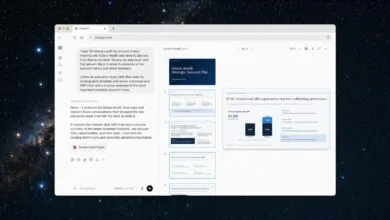
Accessing the feature is straightforward. Users can save a prompt as a Skill directly from their chat history with Gemini. To reuse it, they simply type a forward slash or click a plus button within the Gemini sidebar. The AI then executes the saved Skill on the currently viewed webpage, and it can even process information from additional selected tabs. Google emphasizes that these customizable prompts can be edited at any time to refine their purpose.
Early testing revealed practical applications across several domains. Adopters have used Skills for health and wellness tracking, such as calculating nutritional macros in meals, or for streamlining tasks like comparison shopping and summarizing long documents. To help new users begin, Google is launching a curated Skills library with pre-built prompts for common workflows in areas like productivity, budgeting, and shopping. These can be added directly to a user’s collection and then modified to better suit individual needs.
As with other Gemini actions in Chrome, the Skills feature incorporates user consent safeguards. It will request confirmation before performing actions with external impact, like sending an email or adding a calendar event. The rollout for Chrome desktop begins immediately for users signed into their Google accounts, though it initially requires the browser language to be set to English (US).
(Source: TechCrunch)