Gemini Live and Android Redesign Roll Out [Gallery]
▼ Summary
– Google is rolling out another major visual update to the Gemini overlay and Gemini Live, following recent redesigns.
– The Gemini overlay on Android now combines the attachments and Tools menus into a single, redesigned bottom sheet with a carousel of options.
– The Gemini Live feature has a new floating interface with a central waveform, replacing the previous full-screen pill design.
– These redesigns are currently available in the Google app beta version 17.3 but are not yet in the stable public release.
– The full Gemini mobile app will eventually receive the combined overlay design, though it sees no changes in this immediate update.
Google continues to refine its AI assistant experience, with significant visual updates rolling out for both the Gemini overlay and Gemini Live on Android. These changes arrive in rapid succession, following earlier redesigns from earlier this year, and are currently visible in the latest beta version of the Google app.
The standard Gemini overlay on Android has been updated once more. This new design merges the previously separate menus for attachments and Tools into a single, streamlined interface. The familiar pill-shaped container is now slightly narrower, while the “Ask Gemini” text is more prominent. The microphone icon has also been refreshed, adopting a modern outline style. Tapping the plus button reveals a bottom sheet that prioritizes a carousel of large, rounded squares for quick access to Photos, Camera, Files, Drive, and Notebooks. Below this, users will find options for Create image, Create video, and Create music, alongside Canvas, Deep research, Guided learning, and a toggle for Personal Intelligence. This consolidated design, previously tested on the web, is now making its way to the mobile overlay interface.
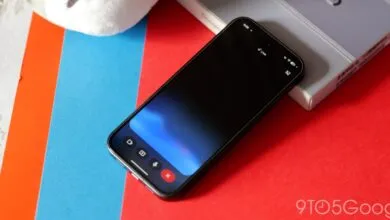
Simultaneously, Gemini Live is receiving a major visual overhaul, beginning with its dedicated overlay. The previous design, which used a large pill occupying much of the screen, has been replaced by a more discreet floating interface. A central audio waveform is now flanked by buttons for screen sharing and a keyboard to exit the Live session. A captions button sits in the top-right corner. As users navigate to other parts of their phone, this new Live overlay condenses into a smaller, less intrusive circle than the previous version. This same redesigned interface is also present when launching Gemini Live from within the full Gemini app, replacing the old fullscreen view with the new floating overlay set against the app’s regular homescreen.
These updates are currently live in the Google app beta version 17.3. Users who do not see the changes can try force-stopping the app from their device’s App info settings. The new designs have not yet reached the stable public release channel.
(Source: 9to5google.com)