Apple Watch 2026: 5 Hidden Features You Can Use
▼ Summary
– Many Apple Watch owners are likely underutilizing a range of hidden features and tools on their device.
– Apple currently sells three distinct watch models: the Series 11, SE 3, and Ultra 3, which differ in features, display, and battery.
– Beyond common functions like messaging and payments, all Apple Watch models offer many additional capabilities.
– Users should explore their watch’s full functions, as it represents a significant financial investment.
– The article highlights specific Apple Watch features that often go unnoticed by users.
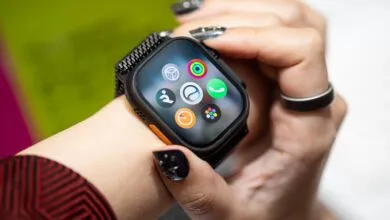
Most Apple Watch owners are familiar with the basics, like taking calls and tracking workouts, but the true power of the device often lies just beneath the surface. Whether you have the latest Apple Watch Series 11, the more affordable SE 3, or the rugged Ultra 3, your wrist holds a suite of sophisticated tools that are easy to miss. Given the significant investment, especially for premium models, unlocking these capabilities ensures you get the most value from your wearable technology.
Beyond the standard notifications and fitness rings, your watch can serve as a powerful health monitor and a remote control for your digital life. One of the most practical yet overlooked functions is the Quick Actions menu, accessible by pressing the side button. This hub provides instant shortcuts to features like the flashlight, theater mode, and a quick-access wallet, streamlining tasks that would otherwise require navigating through multiple apps.
For health and safety, the Fall Detection and Emergency SOS features are critical. These tools are designed to automatically contact emergency services and your designated contacts if a hard fall is detected, providing a vital safety net during workouts or everyday activities. It’s a good idea to verify these settings are configured correctly in the Watch app on your paired iPhone.
Another hidden gem is the Noise app, which continuously monitors ambient sound levels. When enabled, it can alert you if the decibel level in your environment reaches a point that could impact your hearing over time. This is particularly useful in loud workplaces, concerts, or while using power tools, offering proactive protection for your long-term auditory health.
Your watch can also function as a sophisticated camera remote for your iPhone. Open the Camera app on your watch to see a live view from your phone’s lens, allowing you to frame shots, set a timer, and even press the shutter button remotely. This is perfect for group photos, hands-free vlogging, or capturing stable shots without touching your phone.
Finally, don’t overlook the Walkie-Talkie feature for instant voice communication with other Apple Watch users. It creates a direct, push-to-talk connection over Wi-Fi or cellular, making it a fun and efficient way to coordinate with family or friends without a full phone call. Exploring these five features can transform your Apple Watch from a simple notification center into a more integral and powerful tool for your daily routine.
(Source: SlashGear)