Stop Smart TV Ads and Tracking for Good

▼ Summary
– Smart TVs are often criticized for compromising user privacy, reliability, and simplicity due to built-in ads and tracking.
– Non-smart or “dumb” TVs are now very difficult to find because smart TV operating systems have become a primary revenue source.
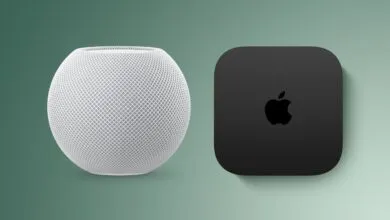
– The guide’s main recommendation for most people is to take a TV offline and use an Apple TV box to replace the smart TV software.
– An Apple TV provides a cleaner, faster, and more intuitive experience with fewer ads and a simpler interface for others to use.
– Apple TV is also recommended for better privacy, as it uses minimal tracking and lacks automatic content recognition (ACR) technology.
For those seeking a private and streamlined viewing experience, modern smart TVs often present a frustrating paradox. While offering vast content libraries, they frequently come bundled with intrusive advertising, performance issues, and pervasive data collection. Finding a traditional “dumb” television without these smart features has become nearly impossible as manufacturers prioritize software-driven revenue models. This guide explores practical alternatives for watching content, both online and from local sources, without submitting to the constant tracking and clutter of a standard smart TV interface. We’ll cover solutions for various technical comfort levels and budgets, ensuring you can reclaim your living room.
Our top suggestion for the majority of viewers is straightforward: disconnect your television from the internet and connect an Apple TV device instead. This approach effectively replaces the clunky, ad-laden software built into your TV with Apple’s refined tvOS platform. The Apple TV interface is notably more intuitive, responsive, and reliable than most native smart TV systems. It operates without the distracting banners and auto-playing video ads that plague other platforms, offering a cleaner, more focused environment. For households with multiple users or guests, its simplicity is a major advantage, eliminating the confusion that often comes with more complex do-it-yourself setups.
From a privacy standpoint, the Apple TV is a strong choice. The initial setup process clearly outlines data-sharing options, making it easy to minimize tracking. While using the device typically involves an Apple ID and sends some usage data to Apple, the company maintains a stronger reputation for data stewardship compared to many TV and advertising firms. Importantly, Apple TV boxes do not employ Automatic Content Recognition (ACR), the technology many smart TVs use to monitor everything you watch, even from external devices like cable boxes or gaming consoles.
Beyond this primary recommendation, several other paths exist. One option is to seek out the few remaining non-smart displays, often sold as commercial or hospitality monitors. These panels provide a high-quality picture without any built-in streaming apps or internet connectivity, though they usually lack tuners for over-the-air broadcasts. For those who still want access to streaming services, using a dedicated streaming device with a privacy-focused approach is key. Some devices, like certain models of the Nvidia Shield TV, allow for extensive customization and the blocking of tracking domains at a network level.
Another effective strategy involves leveraging your existing smart TV’s settings to limit its data-hungry behavior. This requires diving into the menus to disable features like ACR, often buried under names like “Smart TV experience,” “Viewing data,” or “Interest-based advertising.” You should also restrict the TV’s access to your home network by blocking its MAC address in your router settings, effectively turning it into a simple display for your chosen external devices.
For the technically inclined, building a home theater PC (HTPC) offers maximum control. Using software like Kodi or Plex, you can manage a personal media library and integrate curated streaming add-ons. This method completely bypasses commercial platforms, though it demands more time and effort to set up and maintain. Similarly, using a Raspberry Pi with open-source media center software presents a compact, low-cost alternative for playing local files.
No single solution fits every scenario. The right choice depends on whether your priority is sheer simplicity, absolute privacy, or access to specific streaming apps. For a guest room or kitchen, a basic monitor with a simple streaming stick might suffice. For a main home theater, the combination of a display with no smart features and a high-quality external device like the Apple TV often provides the best balance of performance, content access, and personal data protection. The goal is to shift control back to the viewer, ensuring the technology serves you, not the other way around.
(Source: Ars Technica)