Xbox Full Screen Experience Now Available on All PCs
▼ Summary
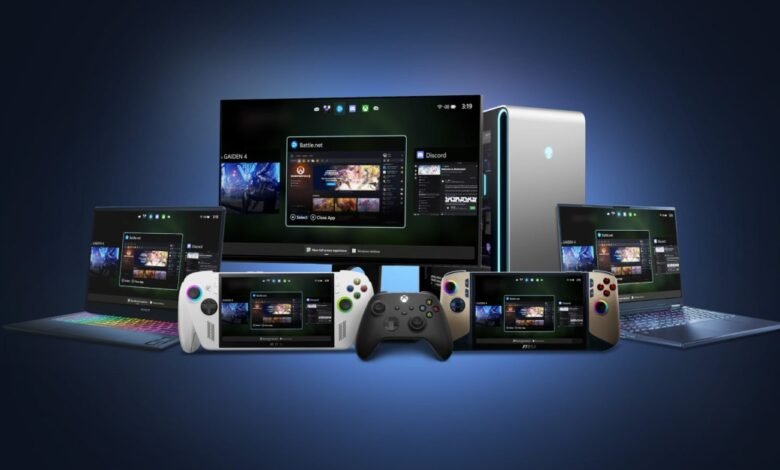
– Microsoft is expanding the Xbox Full Screen Experience (FSE) from PC handhelds to laptops, desktops, and tablets, providing a console-like UI for navigating game libraries with a controller.
– The FSE feature is available in new Windows Insider Preview Builds on Dev and Beta channels and for Xbox Insider Program participants, accessible via the Task View icon, Game Bar settings, or Win + F11.
– Microsoft is gradually rolling out FSE with the new Windows Insider builds, so not all Insiders may have immediate access, and it requires the Xbox app from the Microsoft Store.
– As of Friday, FSE has also started rolling out to all Windows-based handhelds, expanding its availability beyond initial devices like the Xbox Ally and Ally X.
– The feature enhances the gaming experience by allowing users to toggle a full-screen interface for easier navigation and management of their game collections on supported devices.
Microsoft is now expanding its Xbox Full Screen Experience (FSE) to all Windows PCs, including laptops, desktops, and tablets. This feature provides a console-style interface for navigating your game library using a controller, making it easier to browse and launch titles without a keyboard and mouse. Initially introduced with the Xbox Ally and Ally X handhelds, FSE was previously limited to PC gaming handhelds, but this broader rollout marks a significant step in unifying the Xbox ecosystem across different Windows devices.
To access the Xbox Full Screen Experience, users need to be part of the Windows Insider Program on the Dev or Beta channels or enrolled in the Xbox Insider Program. Microsoft explains that you can activate FSE by hovering over the Task View icon on the taskbar and selecting the Xbox full screen experience option. Alternatively, you can open it through the Game Bar settings or by pressing the Win + F11 keyboard shortcut to toggle the feature on and off.
It’s important to note that the rollout is not immediate for all Windows Insiders. Microsoft is releasing the feature gradually alongside new Windows Insider Preview builds, so availability may vary. Additionally, users must have the Xbox app installed from the Microsoft Store to take advantage of FSE.
In a related update, Microsoft also began distributing FSE to all Windows-based handheld gaming devices starting last Friday. This ensures that handheld gamers receive the same streamlined, console-like navigation experience that is now coming to a wider range of PC hardware.
(Source: The Verge)