PS Portal’s Major Update Transforms UI and Cloud Streaming
▼ Summary
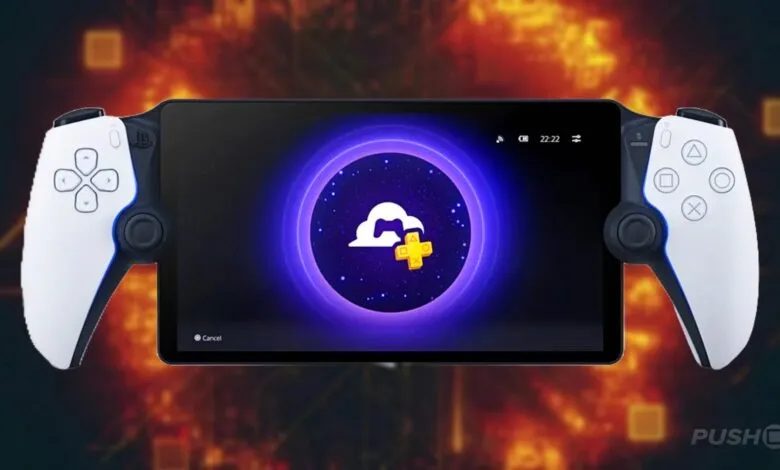
– Sony’s PS Portal now supports cloud streaming of PS5 games from your console library for PS Plus Premium subscribers.
– Over 2,800 PS5 titles can be streamed, including hundreds available through PS Plus Extra and Premium subscriptions.
– Cloud streaming enables playing games remotely while your PS5 is off or in use by others, with a redesigned interface featuring dedicated tabs.
– The update adds 3D audio support for compatible devices and security features like passcode lock and network status monitoring.
– New cloud streaming features include in-game store purchases, accessibility options, and direct multiplayer session invitations.
Sony has rolled out a significant system update for the PS Portal, fundamentally enhancing how players interact with their game libraries. This major patch introduces cloud streaming for PS5 titles, allowing PS Plus Premium members to instantly play over 2,800 games directly from their console library without needing to have their PS5 powered on. Whether you own the game digitally or have claimed it through your PS Plus subscription, you can start streaming it immediately on the handheld device.
The new cloud streaming functionality opens up several new ways to enjoy your PS5. You can now play a game alongside a friend who is using a different account on your main console. Alternatively, you can stream your favorite title while someone else at home uses the PS5 to watch a movie. This feature is especially useful for gaming on the go, letting you continue your progress from a hotel, café, or any location with a reliable high-speed Wi-Fi connection, even if your console at home is turned off or in use by another person.
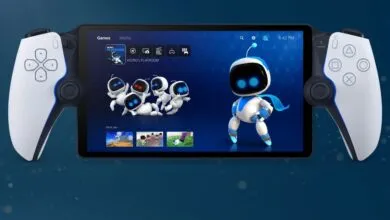
To integrate this new capability, Sony has given the PS Portal’s user interface a complete overhaul. The home screen now features three distinct tabs: Remote Play, Cloud Streaming, and Search, ensuring the new streaming service has a dedicated and easily accessible space.
The update also packs a host of additional features designed to improve the overall user experience. 3D Audio support is now active for both Remote Play and Cloud Streaming on compatible games, provided you use wired headphones or a supported PlayStation Link wireless audio device like the Pulse Explore earbuds or Pulse Elite headset. For security, a new passcode lock feature lets you protect your device via Settings > System > Passcode.
Recognizing the importance of a stable connection, a new Network Status screen has been added. You can quickly check your connection quality during a streaming or remote play session by opening the Quick Menu and navigating to Troubleshoot > Show Network Status.
Specific enhancements have been made for the cloud streaming experience itself. An in-game store allows you to purchase add-ons and in-game currency without interrupting your session, with benefits applied instantly. New accessibility options, including a screen reader and adjustable text size, can be enabled by going to Settings > Cloud Streaming > Accessibility Settings for Cloud Streaming. Furthermore, you can now receive and accept game invitations from friends directly through the Quick Menu while cloud streaming, making it simple to jump into multiplayer sessions.
This substantial update significantly expands the versatility and functionality of the PS Portal, offering more freedom and a richer, more integrated gaming experience away from the television.
(Source: PushSquare)