Apple’s new ‘tinted’ option lets you undo Liquid Glass look
▼ Summary
– Apple has introduced a new Liquid Glass customization feature in its latest beta updates, allowing users to choose between Clear or Tinted appearances.
– This change reflects Apple’s responsiveness to user feedback, similar to past adjustments like the Safari address bar relocation in 2021.
– The Liquid Glass design in iOS 26 was Apple’s biggest interface overhaul since 2013, receiving mixed reactions from users regarding readability and modernity.
– Users can access the new setting in the Display & Brightness menu on mobile devices or Appearance in System Settings on Mac to toggle between the two options.
– The feature is currently available in developer betas for iOS 26.1, iPadOS 26.1, and macOS 26.1, with a public release expected soon after testing.
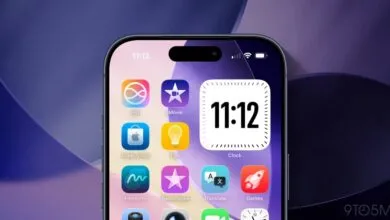
Apple has introduced a new customization feature for its Liquid Glass interface, allowing users to switch between Clear and Tinted appearances in the latest beta updates for iOS, iPadOS, and macOS. This move demonstrates the company’s responsiveness to early feedback following the rollout of its most substantial design overhaul in over a decade. By offering a choice between two distinct visual modes, Apple provides greater flexibility for users who found certain elements of the new interface difficult to read or navigate.
The decision to include a fallback option mirrors Apple’s past approach to significant software changes. When Safari’s address bar was relocated to the bottom of the screen several years ago, user pushback led to the reintroduction of a top-positioned alternative. Similarly, the Liquid Glass redesign, praised by some for its modern aesthetic but criticized by others for reduced legibility, now includes a toggle that lets individuals adjust the transparency of interface components.
Available in the beta versions of iOS 26.1, iPadOS 26.1, and macOS 26.1, the setting can be found under “Display & Brightness” in Settings on mobile devices, or within the “Appearance” section of System Settings on Mac. Users can select either Clear, which maintains the original frosted glass effect, or Tinted, which increases opacity to improve visibility of notifications, navigation controls, and other on-screen elements.
Rather than implementing a granular slider for opacity control, Apple has chosen a binary toggle. This simplifies the experience while still addressing accessibility concerns. Developers who have integrated Liquid Glass into their applications will not need to make additional adjustments, user selections will automatically apply across compatible apps.
Changes are visible across system interfaces, including Lock Screen notifications, media playback controls, and both first-party and third-party applications. The feature is currently accessible to developers in the beta release, with a public beta expected shortly before a full public launch.
(Source: TechCrunch)