Microsoft Removes More Windows 11 Update Blocks
▼ Summary
– Microsoft has removed two compatibility holds that were blocking Windows 11 24H2 installation via Windows Update.
– One hold was for systems using SenseShield’s sprotect.sys driver, which caused blue/black screen errors and has now been resolved.
– The other hold was due to wallpaper customization apps causing display and desktop issues, and it was removed on October 15, 2025.
– Users may see warnings about incompatible wallpaper apps during installation and should update or uninstall them if issues persist.
– Windows 11 25H2 is now available for eligible users who enable the latest updates setting, with automatic rollout for Home and Pro editions.
Microsoft has cleared two significant compatibility holds that were previously preventing users from installing the Windows 11 24H2 update through Windows Update. This development allows more systems to smoothly transition to the updated operating system without encountering known technical roadblocks.
One safeguard hold, originally implemented in April, affected computers running security or enterprise software that relied on SenseShield Technology’s sprotect.sys driver. A recognized problem with this driver could lead to system crashes, commonly known as the blue or black screen of death. Microsoft announced this week that the update block has been lifted after SenseShield released an updated security.sys driver to fix the compatibility conflict. Users can expect to receive the Windows 11 24H2 update offer within the next two days.
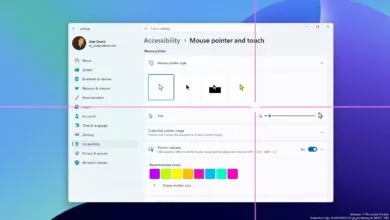
A second compatibility hold, introduced in September 2024, has also been removed. This block was related to certain wallpaper customization applications that could cause a variety of disruptions. These included system errors, improperly displayed backgrounds, missing desktop icons, problems with desktop previews, and issues with virtual desktops.
According to a recent Windows release health update from Microsoft, “The safeguard hold has been removed as of October 15, 2025. Eligible devices without other safeguard holds can install Windows 11, version 24H2 via Windows Update.” The company also noted that some devices might still show a warning message indicating a potential incompatibility with a desktop or wallpaper application. In such cases, users will need to confirm they wish to proceed with the installation.
For individuals who continue to face problems with these applications after upgrading, Microsoft recommends updating the software to its latest version, uninstalling the problematic app, or reaching out directly to the application’s developer for further assistance.
This follows Microsoft’s removal of other update blocks last month. One was preventing PCs with integrated cameras from upgrading due to a face-detection glitch that caused the Camera app, Windows Hello, and other applications to freeze. Another hold was related to an issue causing Bluetooth headsets and speakers to malfunction.
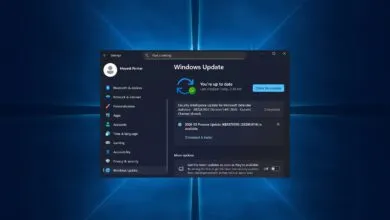
For users looking to update to the most recent version, the Windows 11 2025 Update is now available, which upgrades systems to Windows 11 25H2. This version was officially released on September 10. All eligible Windows 11 users who have activated the “Get the latest updates as soon as they’re available” setting can now access it. Microsoft clarifies that devices using Home and Pro editions of Windows 11, which are not managed by an IT department, will get the Windows 11 2025 Update automatically. However, users retain the option to delay the installation or select a convenient time for the required restart.
(Source: Bleeping Computer)