Google Pixel Call Recording: How It Actually Works
▼ Summary
– A Pixel 8 Pro user in India has demonstrated native call recording in action through a screen recording.
– The feature is accessed via the Call Assist menu and offers playback, sharing, and deletion options within the Phone app.
– Call recording is currently limited to Pixel 6 and later models running Android 14 or higher in legally permitted regions.
– Both parties on the call are notified before the recording begins, and the audio files are stored locally on the device.
– While the feature has been confirmed in India, there is little evidence of its availability in other countries so far.
A new video from an Indian user demonstrates the long-awaited native call recording feature in action on a Google Pixel 8 Pro. This functionality, which operates directly within the Phone app, provides a seamless way to capture conversations for those in legally permitted regions. The footage offers the first clear look at how the system works from start to finish, confirming earlier reports about its availability.
The screen recording was captured on a device running a stable version of Android 16 QPR1 with a beta release of the Phone app. It begins by showing the user navigating to the call recording settings to ensure all the necessary options are activated. Placing a call to a customer service number, the user then accesses the Call Assist menu to initiate the recording process. A simple tap starts the capture.
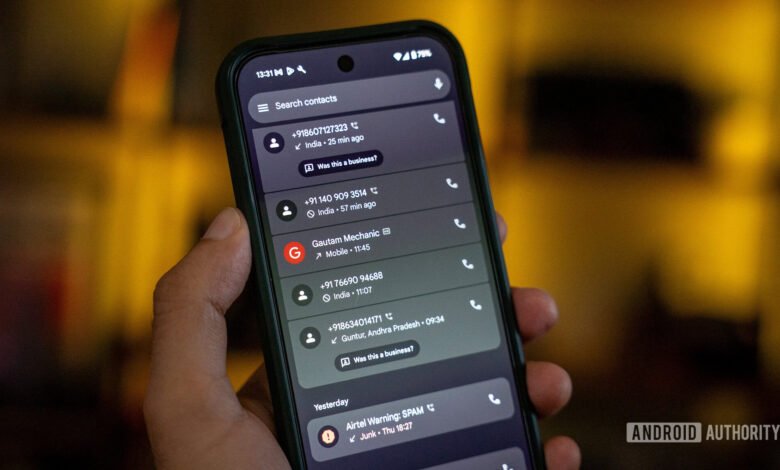
Once the call concludes, the user returns to the Recents tab within the Phone app. Expanding the details for that specific call log reveals a new “Call Recording” section. This interface includes a built-in audio player for immediate playback. The user can also choose to share the audio file with other applications or delete it entirely directly from this screen.
According to official documentation, this capability is currently limited to Pixel 6 and later models that are updated to Android 14 or a more recent version. A critical aspect of the feature is that it automatically provides an audible notification to all participants on the call, informing them that the conversation is being recorded. This addresses legal and privacy considerations upfront. All recordings are saved locally on the device’s storage, and users have the option to configure automatic deletion after a set period, such as three, seven, or thirty days.
While the feature’s rollout appears to be gradual, its active presence has so far been primarily documented in India. There have been isolated claims from users in other countries, like Canada, suggesting a wider, albeit slow, release. For now, the video evidence provides a concrete example of how Pixel’s integrated call recording functions for eligible users.
(Source: Android Security)


