DualSense on PC: $16 Raspberry Pi Adds PS5 Haptic Feedback
▼ Summary
– The DS5Dongle project by developer awalol uses a Raspberry Pi Pico 2W to create a wireless dongle that enables adaptive triggers and haptic feedback on PC.
– The dongle connects to the DualSense via Bluetooth while appearing as a wired controller to the PC, supporting features like the 3.5mm jack.
– A recent update added 1000Hz support, reducing the latency penalty to roughly 1ms compared to a wired connection.
– Setup involves connecting the Pico 2W to a PC, dropping firmware onto it, and pairing the DualSense in Bluetooth mode.
– This is currently the only known method to wirelessly use all DualSense features on PC, though similar software support may come later.
The $16 Raspberry Pi Pico 2W, paired with a new open-source project called DS5Dongle, now makes it possible to enjoy the full wireless DualSense experience on PC , including adaptive triggers and haptic feedback , without a USB cable. Developer awalol has created a clever workaround that turns this tiny, affordable board into a dedicated wireless dongle, bridging the gap between the PS5 controller and your computer.
Normally, connecting a DualSense to a PC involves a trade-off. A wireless Bluetooth connection offers freedom of movement but sacrifices the controller’s signature features. Plugging in via USB restores the adaptive triggers and haptic feedback found in many Sony PC ports, but tethers you to the desk. The DS5Dongle eliminates this compromise by acting as an intermediary.
The Raspberry Pi connects to the DualSense via Bluetooth while simultaneously presenting itself to the PC as a wired controller. This clever deception means Windows recognizes the gamepad as if it were plugged in directly, enabling full feature support in compatible games. Titles like Days Gone, which normally require extra software to use the DualSense wirelessly, work seamlessly with this setup. Even the 3.5mm headphone jack functions as it would with a wired connection.
There is a slight latency penalty compared to a direct USB link , roughly 1 millisecond , but a recent update to the project added 1000Hz polling support, which minimizes the performance gap. For most gamers, the difference will be imperceptible.
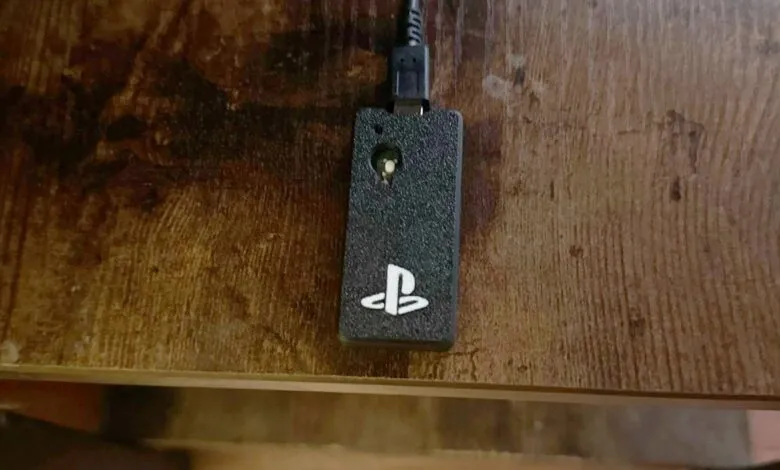
Setting up the dongle is refreshingly simple. Just connect the Raspberry Pi Pico 2W to your PC via USB, drag the firmware file onto its storage, and put the DualSense into Bluetooth pairing mode. Once connected, the controller appears as a wired device in Windows, ready to go. The board can be used as-is, or you can 3D print a case for a cleaner look, as demonstrated by Reddit user /u/SlogikX.
While software solutions like DualSenseX may eventually offer similar functionality, this is currently the only known method to achieve full wireless DualSense support on PC. It could be the ultimate upgrade for a living room gaming setup , as long as you don’t prefer the Steam Controller.
(Source: Digitalfoundry.net)