3 New iOS 26.4 Features to Personalize Your iPhone
▼ Summary
– iOS 26.4 introduces a new ‘Reduce Bright Effects’ accessibility setting to minimize highlighting and flashing from onscreen elements like buttons.
– The update allows users to automate different iPhone battery charge limits using the Shortcuts app, based on conditions like location or network.
– A new feature in the default video player enables customization of subtitle styles, including options like Large Text and Transparent Background.
– The ‘Reduce Bright Effects’ toggle is located in Settings under Accessibility > Display & Text Size, providing an alternative to the Liquid Glass design.
– The ‘Set Battery Charge Limit’ action in Shortcuts can extend battery lifespan by automatically adjusting the maximum charge based on user-defined automations.
The upcoming iOS 26.4 update introduces several powerful customization tools designed to give users more control over their iPhone’s interface, battery health, and media experience. These features focus on personalizing visual elements, automating battery management, and enhancing video playback accessibility, allowing for a more tailored and efficient user experience.
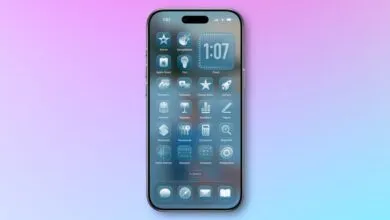
A new ‘Reduce Bright Effects’ setting provides a solution for users who find certain visual elements too intense. Located within the Accessibility settings under Display & Text Size, this toggle minimizes the highlighting and flashing effects that occur when interacting with onscreen components like buttons or the keyboard. It offers a more subdued alternative to the system’s default Liquid Glass design, which can also be adjusted using the existing ‘Tinted’ option in the Display & Brightness settings. This feature is ideal for those seeking a less visually stimulating interface.
For optimizing long-term battery health, iOS 26.4 enhances the existing ‘Charge Limit’ feature with new automation capabilities. This function allows you to set a maximum battery charge level between 80% and 100%, a practice known to help prolong overall battery lifespan. The significant upgrade is the integration with the Shortcuts app, which now includes a ‘Set Battery Charge Limit’ action. You can create automated shortcuts that dynamically adjust the charge limit based on specific triggers, such as your location, connection to Wi-Fi, or time of day. This means your phone can automatically charge to a lower limit when you’re at home overnight and to a full charge when you’re preparing for a day out.
Video watching becomes more accessible with new subtitle customization options in the system’s default video player. Whether you’re streaming content in Safari, the Apple TV app, or other supported applications, you’ll find a ‘Style’ option within the Subtitles menu. This grants access to several preset styles, including Classic, Large Text, Outline Text, and Transparent Background. For even greater control, a ‘Manage Styles’ button directs you to a dedicated section in the Accessibility settings, centralizing options that were previously more difficult to locate. This makes it simpler to configure subtitles for optimal readability and visual comfort.
(Source: 9to5Mac)