Xbox Cloud Gaming Web Beta: Try It Now
▼ Summary
– Xbox is launching a preview of a refreshed web interface for Xbox Cloud Gaming to test new features and design.
– Participants can access the preview by enabling “Preview Features” on xbox.com/play or by visiting play.xbox.com directly.
– The preview experience includes updated navigation and a new look, but some functions may be limited or behave differently.
– User feedback is critical and can be submitted via a “Give Feedback” option within the preview to directly influence improvements.
– Xbox Insiders can seek support and join discussions about the preview through the official Xbox Insider subreddit community.
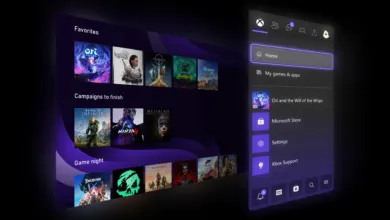
A new and improved web version of Xbox Cloud Gaming is now available for testing, offering players an early look at the platform’s future direction. This beta preview introduces a redesigned interface and streamlined navigation, built to enable faster development of new features for the gaming community. By participating, users can explore the updated layout and provide crucial feedback before the official wide release.
Participants in this preview will notice several changes, including a visual refresh and new navigation elements. It’s important to remember this is a test version; some features might not be fully functional or could behave differently than the current stable site. The development team will be making continuous adjustments throughout the testing period, so the experience may evolve.
Getting started is straightforward. First, navigate to xbox.com/play using a compatible browser and sign in with your Xbox account. Once logged in, visit the Settings page to locate and activate the “Preview Features” toggle. After enabling it, you can launch the new experience by following the on-screen prompts and links. Please note that it might take up to ten minutes for these prompts to appear; logging out and back in can sometimes speed up the process.
Alternatively, you can go directly to the new interface by entering play.xbox.com into your browser’s address bar. If you ever wish to return to the standard version, simply go back to xbox.com/play.
User input is vital for this phase. The preview helps Microsoft validate the new web platform and polish the final product. If you run into any problems or have ideas for improvement, you are encouraged to share them using the built-in Feedback tool.
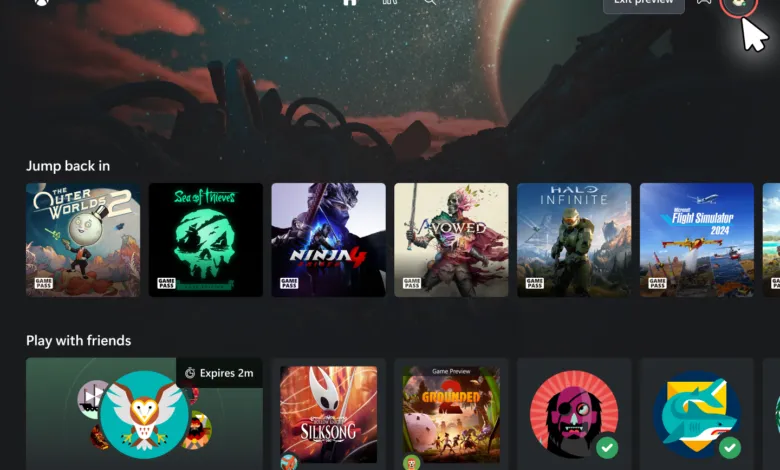
There are two simple ways to submit feedback while on play.xbox.com. You can click on your profile icon in the top-right corner and select “Give Feedback” from the dropdown menu. The other method is to open the Xbox Web Guide by pressing the Xbox button on your controller or by clicking the Xbox icon in the top-left corner of the screen, then choosing the feedback option.
The team extends its gratitude to the Xbox Insider community for their ongoing participation. Your insights are instrumental in shaping what comes next for Xbox.
For support and to connect with other testers, the official Xbox Insider subreddit is a valuable resource. It is monitored by Xbox staff and moderators, alongside a helpful community of fellow Insiders. To get the best support, consider adding to existing discussion threads about your issue before creating a new post. This collaborative approach ensures the team can assist everyone effectively.
To stay informed about all Xbox Insider Program updates, you can follow the @XboxInsider account on X (formerly Twitter) and check the official blog regularly for announcements. Engaging with the community on the Xbox Insider SubReddit is also a great way to share experiences and learn from other players.
(Source: Xbox News)