The One iOS Feature Android Desperately Needs
▼ Summary
– The article criticizes Android’s phone migration process as frustrating and inferior to Apple’s seamless iPhone-to-iPhone transfer.
– Apple’s migration is highly praised for transferring everything, including app sign-in states, with minimal user effort due to its controlled ecosystem.
– Android migration within the same brand (e.g., Samsung to Samsung) is tolerable but imperfect, often requiring users to re-log into apps and reconfigure settings.
– Switching between different Android brands is significantly worse, often resulting in lost settings, disorganized files, and a near-complete manual setup.
– The author argues Google lacks a unified, reliable backup solution like iCloud and should improve the migration experience for Android users.
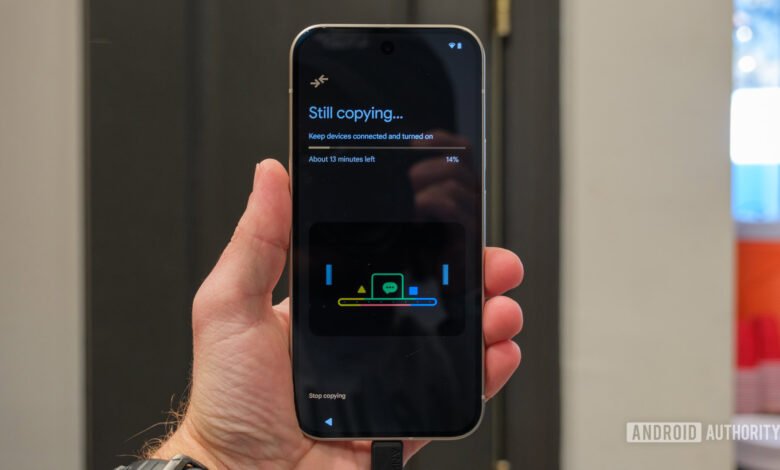
For anyone who has ever switched to a new Android phone, the experience often feels less like an exciting upgrade and more like a tedious chore. While the platform excels in many areas, the process of migrating data between Android devices remains a frustrating and inconsistent hurdle. This stands in stark contrast to the effortless transition iPhone users enjoy, a level of seamlessness that Android has yet to achieve despite years of development.
Apple has perfected the art of moving from one iPhone to another. The process is astonishingly simple: place the new device near the old one, and iOS handles the rest. It transfers messages, photos, app data with sign-in states intact, passwords, and even the precise layout of the home screen. The experience is so smooth it feels like you never switched phones at all. This magic is possible because Apple controls both the hardware and software, creating a uniform ecosystem. For iPhone owners, this simplicity extends to iCloud backups, which offer a reliable safety net for data restoration, whether you’re upgrading or replacing a lost device.
The Android experience, however, is a story of fragmentation and compromise. When moving between phones from the same manufacturer, like Samsung to Samsung or Pixel to Pixel, the process is tolerable but flawed. You still face the significant hassle of re-logging into every single app, as sign-in states are rarely preserved. Game progress can vanish if titles don’t use cloud saves, and background services like Google Photos backup or Health Connect require manual reactivation. It’s a setup that demands your attention and memory.
The situation deteriorates dramatically when switching between different Android brands. Here, the migration often feels broken. Beyond the universal login headache, basic settings like your home screen arrangement, Wi-Fi networks, and ringtone preferences frequently fail to transfer. App permissions reset without warning, leading to confusing malfunctions. Even successfully transferred photos and files can lose their organized folder structure, dumped into a single, chaotic directory. You are essentially starting from scratch, with only your core data making the jump.
The challenges compound if you lose your phone. Google’s cloud backup solution is fragmented, backing up some data through Drive while leaving photos to Google Photos. There is no unified, comprehensive backup system akin to iCloud. While some manufacturers like Samsung offer temporary cloud storage for trade-ins, this is not a universal standard across the Android landscape.
It’s time for Google to fundamentally rethink this process. The current state punishes users for exploring the very diversity that defines Android. For a platform that has worked hard to simplify switching from iOS, it’s paradoxical that moving within its own ecosystem remains so cumbersome. A seamless, reliable, and universal migration tool is not just a convenience; it’s a basic expectation for a mature mobile operating system. Until this is addressed, the Android upgrade experience will continue to lag behind the effortless standard set by its competitor.
(Source: Android Authority)