8 Essential WhatsApp Security Features to Protect Your Privacy

▼ Summary
– WhatsApp is a major target for attackers, with recent threats including the GhostPairing hijacking method and a large-scale exposure of user phone numbers and profile data.
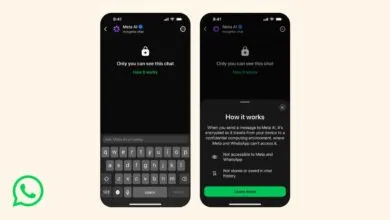
– The app uses end-to-end encryption for message security and offers additional features like passkey-encrypted backups and privacy-enhanced AI.
– Users can enhance privacy via the Privacy Checkup feature to control profile visibility and manage who can contact them or add them to groups.
– The Disappearing Messages feature allows users to set timers for texts to auto-delete, helping secure chats against device compromise, though screenshots remain a risk.
– Enabling two-factor authentication with a security PIN adds a crucial layer of protection for a user’s WhatsApp account.
With billions of users worldwide, WhatsApp’s immense popularity makes it a prime target for security threats. Recent incidents, like the GhostPairing account hijacking technique and large-scale phone number exposure by researchers, highlight the need for users to actively manage their privacy. While the app’s end-to-end encryption provides a strong foundation, taking advantage of its built-in security features is crucial for comprehensive protection. Here are several essential tools within the app to help you safeguard your information.
A smart starting point is the Privacy Checkup tool found in Settings. This feature guides you through controlling who can view your personal details, such as your profile picture, “About” section, and status updates. You can also adjust your “Last Seen” and “Online” status to be visible to “Nobody” for an added layer of discretion. From the same menu, you can manage who is able to contact you directly, block unwanted calls and messages, control who can add you to groups, and silence calls from unknown numbers.
For conversations where you want messages to automatically vanish, the Disappearing Messages function is invaluable. This setting allows you to choose a timeframe, 24 hours, 7 days, or 90 days, after which messages in a chat will be deleted. You can activate this for all chats or for specific conversations individually. To set it as the default for new one-to-one chats, navigate to Settings, then Privacy, and select “Default message timer.” It’s important to remember that this feature relies on mutual trust, as recipients can always take a screenshot before a message disappears.
Since your phone number is central to your WhatsApp account, it can be a vulnerability. Adding a security PIN through two-step verification significantly strengthens your account’s defenses. This acts as a form of two-factor authentication, preventing unauthorized access even if someone obtains your phone number. To enable it, go to Settings, tap on Account, select “Two-step verification,” and choose to turn it on. You will then be prompted to create and confirm a six-digit PIN of your choice.
(Source: Wired)