LG Ultra Gear 45GX950A OLED Review: Extreme Curve, Premium Gaming

▼ Summary
– The LG Ultra Gear 45GX950A is an excellent OLED gaming monitor for racing and flying simulators, offering a stunning picture and smooth motion despite minor gamma issues during calibration.
– Its 45-inch 21:9 OLED panel with an extreme 800R curve and high pixel density provides an immersive cockpit-like experience ideal for simulators.
– Key specifications include a 5120×2160 resolution at 165 Hz, a dual-mode switch to 330 Hz at lower resolution, and support for Adaptive-Sync, HDR, and wide-gamut color.
– The monitor features premium connectivity with DisplayPort 2.1, HDMI 2.1, USB-C with 90W power delivery, and internal speakers with DTS Headphone:X support.
– While the extreme curve enhances immersion for simulators, it may be overwhelming for some shooters, and the dual refresh mode reduces resolution significantly, making 165 Hz the preferred setting.
For gamers deeply invested in racing and flight simulation, the LG Ultra Gear 45GX950A OLED monitor delivers an unparalleled level of immersion, combining a massive 45-inch screen with an aggressive 800R curve that genuinely wraps the virtual world around you. While minor gamma adjustments were noted during calibration, the overall picture quality is breathtaking, with exceptionally smooth motion that makes every gaming session feel incredibly realistic.
Simulation enthusiasts know that ultra-wide and super-wide displays dominate this space, with the general rule being that wider screens provide a better experience. However, screen height is just as critical for a true cockpit feel. The 45-inch 21:9 category strikes an impressive balance, offering substantial screen real estate. When paired with a sufficiently dramatic curve, it creates the sensation of actually sitting inside a vehicle’s cockpit.
This monitor is specifically engineered for driving and flying simulators. It boasts a high pixel density of 125 PPI, driven by a 5120×2160 (5K2K) resolution on an OLED panel. The 800R curve is remarkably tight, and it supports a 165 Hz native refresh rate. A dual-mode feature allows switching to a blistering 330 Hz at a 2560×1080 resolution. It also includes Adaptive-Sync compatibility, DisplayHDR 400 certification, and wide-gamut color coverage.
When constructing a simulator rig, a display like the 45GX950A is a logical centerpiece. While multi-monitor setups expand the field of view, the visible bezels between screens can disrupt the illusion. A 32:9 super-wide screen offers ample width, but current 49-inch models often lack sufficient vertical space, creating a view similar to looking through a racing helmet visor, great for driving, less ideal for flight.
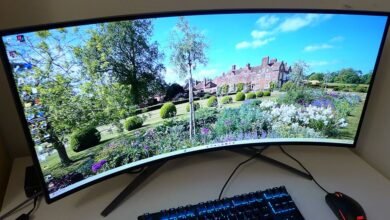
The 45-inch 21:9 format provides about 18 inches of vertical screen space, which is more than a standard 32-inch 16:9 monitor. To pull the sides into your peripheral vision, LG implemented an extremely tight 800R curve radius. This curvature is so pronounced that you can sometimes hear an echo if you speak towards the screen, making for a uniquely immersive physical experience.
Regarding performance, the 5120×2160 resolution translates to over 11 million total pixels. This high pixel count demands a powerful graphics card to maintain high frame rates. Thankfully, the OLED panel eliminates concerns about motion blur. The color gamut covers nearly 98% of DCI-P3, delivering rich, saturated colors without a Quantum Dot layer. HDR brightness is impressive, with a claimed 1,300 nits for a 1.5% window; real-world measurements showed 673 nits from a 25% window. The monitor also features two levels of variable brightness, allowing SDR peaks to exceed 450 nits.
The native 165 Hz refresh rate is complemented by the 330 Hz mode at a lower resolution, easily activated via an OSD switch. The monitor is certified as G-Sync Compatible and supports FreeSync Premium Pro. Connectivity is comprehensive, featuring a DisplayPort 2.1 input, two HDMI 2.1 ports, and a USB-C port that supports DisplayPort Alt Mode and provides 90 watts of power delivery. Two USB downstream ports are included for peripherals, and the built-in speakers are surprisingly capable. The headphone jack is a four-pole design that supports DTS Headphone:X for virtual surround sound.
Priced around $1,600, the 45GX950A is a premium investment. For that, you acquire a relatively unique product that elevates the realism and engagement of your favorite simulators to a new tier.
Unboxing and setup are straightforward. The monitor arrives in a large, well-padded box to protect the highly curved panel. The stand and base are substantial and tool-free to assemble. Included cables are DisplayPort, HDMI, and USB-C. The external power supply is sizable but comes with a long enough cable to be placed on the floor.
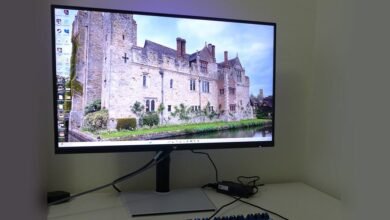
From any viewpoint, the monitor is striking. The 800R curve is more aggressive than almost any other consumer display. When seated two to three feet from the center, the sides feel close to your ears, creating a near-VR level of immersion without a headset. The stand has a relatively compact footprint thanks to a heavy metal base. It offers 4.7 inches of height adjustment, plus tilt and swivel. It positions the screen high enough to keep it perfectly vertical with the user’s eyepoint centered, which is crucial for maintaining the immersive effect on such a curved display.
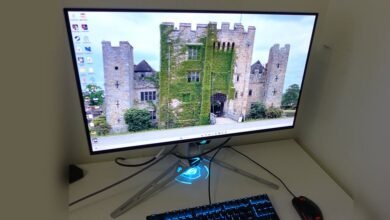
The monitor’s back is sleek and smooth, featuring a customizable RGB light ring. A single joystick underneath the center provides intuitive control over all functions. The headphone jack is conveniently located under the front edge. The video inputs, two HDMI 2.1, one DisplayPort 2.1, and one USB-C, are situated on the rear, along with two USB downstream ports. A snap-on cover is provided for cable management.
Pressing the joystick brings up the game-focused OSD. The “Game Adjust” menu hosts 13 picture modes, including sRGB, HDR emulation, and two calibration memories compatible with LG’s Calibration Studio software. The Dual-Mode for switching refresh rates and resolutions worked seamlessly without requiring driver-level changes. Other gaming aids like on-screen crosshairs and an FPS counter are also present.
The “Picture Adjust” menu contains the Peak Brightness setting (LG’s term for variable brightness). On its High setting, it achieved 457 nits in SDR and 673 nits in HDR from a 25% window. This menu also provides gamma presets, color temperature options, and manual color calibration controls.
Audio can be handled by the two internal 10-watt speakers or the headphone output with DTS Headphone:X. For headphone users, compatible models with a four-pole connector deliver a remarkable surround sound experience. The monitor supports Picture-in-Picture and Picture-by-Picture modes, useful for viewing inputs from a PC and console simultaneously. OLED care features, including pixel refresh and screen savers, are accessible in the General menu.
For most users, the default Gamer 1 mode provides an excellent out-of-the-box experience. Attempting to calibrate by adjusting RGB sliders yielded minimal grayscale improvement while negatively impacting gamma, so the defaults are recommended. The sRGB mode is unusually flexible, allowing for calibration. In HDR mode, six picture modes are available, with Gamer 1 remaining the top choice. The ability to adjust brightness in HDR mode is a welcome feature not found on many competing monitors.
Gaming on the 45GX950A felt like a new experience. The sense of proximity to the action required a perceptual adjustment in familiar game environments. Motion and responsiveness were instantaneous, with no perceptible input lag. The 165 Hz refresh rate showed minimal motion blur that never became distracting. The 330 Hz mode was smoother but the drop in resolution and pixel density was very noticeable. Maintaining 165 fps was achievable with a high-end GPU like the GeForce RTX 4090.
The HDR performance was stunning. The monitor proved slightly brighter than other ultra-wide OLEDs, compensating for the lack of Quantum Dot enhancement. Images were vibrant and rich, with punchy highlights and deep, detailed shadows that gave visuals an almost tangible texture.
For general desktop use, the extreme curvature requires a short adaptation period. The distortion is present but most users adjust quickly. Keeping the screen perfectly vertical is key to maintaining a consistent viewing distance across the entire display, and the stand facilitates this perfectly.
Interacting with the monitor was consistently positive. The OSD is intuitive and the joystick control is precise. The Peak Brightness feature offers valuable flexibility; it can be turned off for productivity, set to low for video, and switched to high for HDR content.
Ultimately, the LG Ultra Gear 45GX950A stands as a superb gaming monitor. Its intense, wrap-around presence might feel overwhelming for some first-person shooters, but for racing and flight simulations, it is arguably without equal. The dual refresh feature’s utility is limited by the significant resolution drop, but the performance at 165 Hz is so fluid and responsive that it becomes genuinely addictive. This is a display that inspires genuine desire, pushing gaming immersion and realism to a whole new level.
(Source: Tom’s Hardware)