Why a 19-Button Mouse Is a Must-Have for Productivity
▼ Summary
– Modern gaming mice typically have at least five buttons, including left, right, scroll wheel, and thumb buttons, with some models offering up to six.
– Flagship gaming mice like Razer’s Basilisk V3 Pro and Logitech’s G 502X Plus feature up to 13 programmable controls, though many are rarely remapped in practice.
– Mice with 12-button side panels, such as the Razer Naga V2 Pro, cater to MMORPG and MOBA players who need quick access to multiple in-game actions.
– Extra mouse buttons are useful beyond gaming, enabling productivity shortcuts like volume control, screenshot capture, and window management.
– While customizable mice offer extensive button options, many users may not utilize all buttons, and some functions (e.g., RGB lighting controls) are rarely worth dedicating a button to.
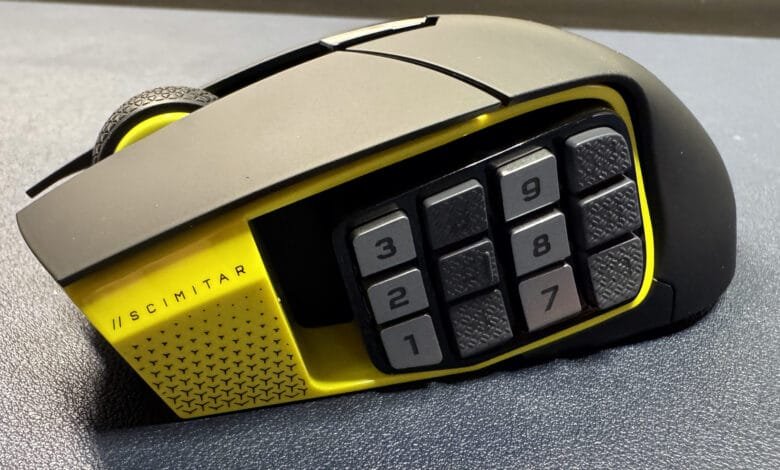
For serious gamers and power users, a 19-button mouse isn’t overkill, it’s a game-changing productivity tool. While standard mice with five or six buttons handle basic functions, high-performance gaming and complex workflows demand far more programmable controls. Modern mice like the Razer Naga V2 Pro and Corsair Scimitar Elite feature 12-button side panels, but even those can feel limiting once you unlock their full potential.
The argument for extra buttons goes beyond gaming. Sure, MMORPGs and MOBAs benefit from quick-access hotkeys, but productivity tasks, video editing, coding, or even simple window management, become exponentially smoother with customizable mouse inputs. Mapping shortcuts to mouse buttons eliminates keyboard fumbling, keeping workflows seamless.
Take autorun in open-world games, binding it to a mouse button saves fingers from holding down keys for hours. Interaction commands, volume controls, and push-to-talk functions also shine when moved to the mouse, reducing reliance on the keyboard. Even mundane tasks like screenshots or window switching become effortless with dedicated buttons.
Productivity apps thrive with macro support. Photo editors, for instance, can assign brush adjustments or layer toggles to mouse buttons, while coders might map debugging shortcuts. The key is leveraging peripheral software to create app-specific profiles, ensuring optimal button layouts for every task.
Of course, not every function deserves a mouse button. Avoid mapping rarely used actions like RGB lighting toggles or one-time program launches. Instead, focus on high-frequency shortcuts, text strings, modifier keys, or repetitive commands, that save time.
Skeptics argue 12 buttons are excessive, but power users quickly outgrow them. A 19-button mouse might seem daunting, but with thoughtful customization, it becomes an indispensable tool. The real challenge? Realizing even 19 buttons aren’t enough once you experience the efficiency boost.
(Image credit: Tom’s Hardware)
(Source: TOMSHARDWARE)