Corsair Sabre V2 Review: Carbon Fiber & Magnesium Gaming Mouse
▼ Summary
– The mice are responsive with a reliable sensor, though the main buttons may feel too light for some users despite having a crisp click.
– They include two sets of feet, with the larger, optional set providing better stability and control than the pre-installed smaller ones.
– A key upgrade is the addition of Bluetooth connectivity, making them more portable and convenient compared to the previous 2.4G-only model.
– Corsair has moved to a new web-based software called Web Hub, which is simple and functional, though it shifts settings like polling rate into sub-menus.
– The mice feature a customizable DPI button with up to five adjustable stages, indicated by a color-coded LED between the main buttons.
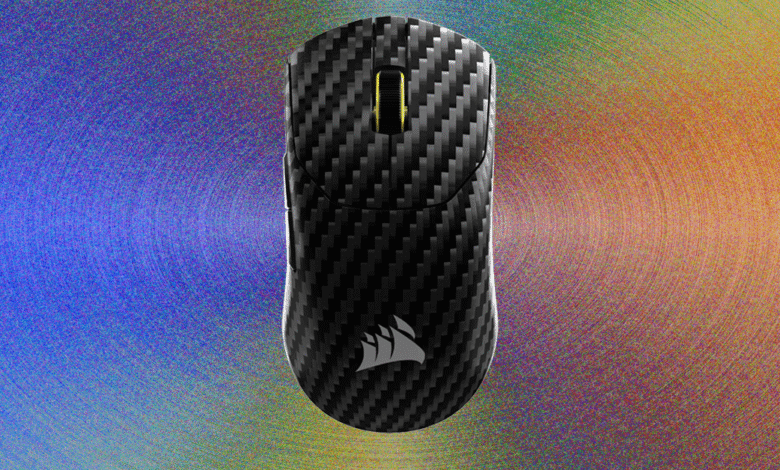
The Corsair Sabre V2 gaming mouse delivers a responsive and snappy performance, with a sensor that reliably tracks every movement without missing inputs. Its main buttons offer a crisp, satisfying click with a short travel distance, making them highly responsive for gaming. While some users with a heavier hand might find the actuation a bit light, the overall feel is precise and enjoyable without being overly aggressive.
A notable feature is the inclusion of two sets of mouse feet. The factory-installed set is smaller and arc-shaped, but the package also includes larger, semicircle-shaped feet. In practice, the larger feet provide a noticeably more stable, smoother, and easier to control glide across the mousepad. It’s puzzling why the smaller feet are the default choice, though it may be a minor tactic to reduce the published weight specification slightly.
Bluetooth connectivity represents a major upgrade over the original Sabre V2 Pro, which was limited to a 2.4GHz wireless dongle. This new versatility means you can connect the mouse directly to compatible devices without needing the USB-C receiver, enhancing its portability. This makes both models excellent choices for a mobile gaming setup. The carbon fiber version takes this a step further by including a hard carrying case in the box, offering superior protection on the go.
Corsair has transitioned from its iCue software to a new in-browser “Web Hub” for device customization. While shifting from locally installed software to a web-based platform can raise concerns about long-term support, the benefit is a lighter system footprint with no background processes draining processing power. The Web Hub performs its functions well: setup is straightforward, customization is seamless, and settings are logically organized. One minor quibble is that the polling rate adjustment is tucked away in a “device settings” menu rather than being on the main page.
Through the Web Hub, the DPI button located on the mouse’s underside becomes fully programmable. Users can configure up to five distinct DPI stages, with each stage assignable anywhere from 100 to 33,000 DPI. Each stage is associated with a specific color, indicated by the single LED between the primary mouse buttons, providing clear visual feedback on your current sensitivity setting.
A word of caution is advised for anyone considering taking these mice apart. Their construction is nearly identical: an exotic material top shell, a plastic bottom shell, a main motherboard in the base holding the scroll wheel, buttons, and battery, and a secondary board in the top shell for the side buttons and LED. The two halves are secured by plastic clips around the perimeter and are further fastened with four screws hidden beneath the mouse feet.
(Source: Wired)