Xbox Full-Screen Mode Expands Beyond Handheld PCs in Gradual Rollout
▼ Summary
– Xbox FSE is now available in preview for various Windows 11 PC form factors, including laptops, desktops, and tablets.
– The feature was initially designed for Xbox/Asus ROG handhelds and offers a controller-friendly, console-like interface for launching games from multiple platforms.
– Users can enable Xbox FSE by using keyboard shortcuts like Win + F11 or Win + Tab to access it as a virtual desktop.
– Access requires Windows Insider Preview Build 26220.7271, but the feature is rolling out gradually, with workarounds like ViVeTool available but often problematic.
– Xbox FSE is promoted for controller-based gaming and may be useful for couch setups, though its broader utility for non-handheld devices is uncertain.
Several months back, we learned that the Xbox full screen experience (FSE) could be installed on handheld gaming PCs beyond Microsoft’s official partners. Now, Microsoft is widening access even further, announcing that FSE is “now available in preview for more Windows 11 PC form factors, such as laptops, desktops, and tablets, tailored for the PC experience.”
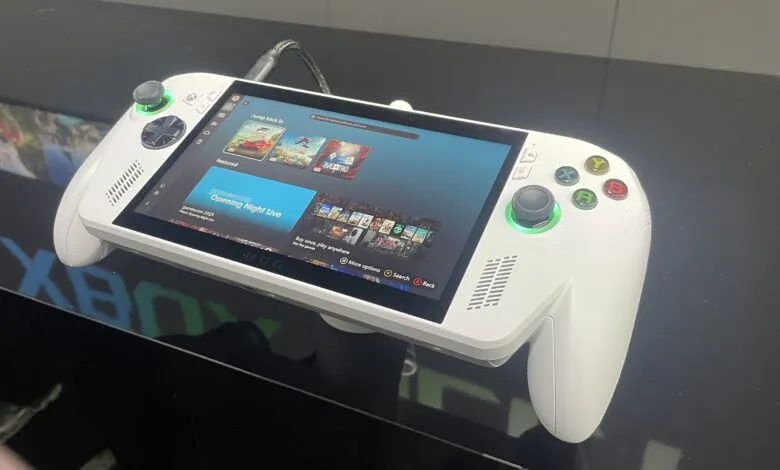
Originally developed for devices like the ASUS ROG Ally and ROG Ally X, the FSE interface drew praise for its smooth performance and console-inspired layout. On those handhelds, it provides a unified hub for launching games from various storefronts, operating more responsively than the standard Windows desktop.
For PC users, enabling the feature is straightforward if you have the required update. Pressing Win + F11, or using Win + Tab to open Task View, lets you select the Xbox full screen experience from the taskbar. It essentially functions as a separate virtual desktop, similar to how it operates on the ROG Ally X.
Accessing this preview requires being on the Windows Insider Preview Build 26220.7271. However, Microsoft is deploying the feature gradually, so not every Insider will see it immediately. This has led some enthusiasts to try manual workarounds, like using ViVeTool, though these methods have often resulted in control issues and instability on non-supported hardware like the Legion Go or OneXPlayer devices.
It’s worth noting that MSI states its Claw handhelds officially support Xbox FSE, so users of those devices may have a smoother, more reliable experience out of the box.
A natural question is how useful this console-style interface will be on traditional laptops and desktops. Microsoft promotes it as a “controller-navigable UI” that offers an “immersive, console-like experience” on Windows 11. It’s designed for controller-first navigation, letting players browse and launch games from multiple PC storefronts in a full-screen, gaming-focused environment. A built-in Task Switcher allows quick jumping between games and other applications.
This could be quite practical for users connecting their PC to a television for living room gaming sessions. However, for the typical PC gamer at a desk, the value is less clear. Why switch to a controller-driven interface when a keyboard and mouse are already at hand?
Even if it doesn’t appeal to every user, the expansion of Xbox FSE represents a positive move by Microsoft. It shows a clear effort to bridge the gap between Windows and the streamlined, user-friendly gaming environments found on platforms like SteamOS. As the preview continues its phased release, many are hopeful that the rollout will accelerate, bringing this alternative gaming interface to a broader audience soon.
(Source: PCGAMER)