Why I Switched from Photoshop to Free Affinity Tools (And Saved Money)
▼ Summary
– Canva now offers the Affinity suite of professional design tools for free, providing a strong alternative to Adobe’s subscription-based Creative Cloud.
– Adobe’s Creative Cloud costs $70/month while combining Photoshop ($20/month) with Canva Pro ($15/month) costs half that price at $35/month.
– Adobe imposes restrictive limits including only 25 monthly AI credits and installation on just two devices, which can hinder workflow flexibility.
– The author maintains Photoshop due to decades of muscle memory but recommends Canva+Affinity for most users seeking cost-effective professional tools.
– Canva’s ecosystem offers extensive features including templates, marketing tools, and unlimited AI capabilities compared to Adobe’s limited AI allowances.
Making the switch from Adobe’s subscription-based Creative Cloud to a combination of Canva’s free Affinity tools and a standalone Photoshop plan can significantly reduce your monthly software expenses while maintaining professional-grade creative capabilities. For anyone feeling the pinch of Adobe’s rising costs, this hybrid approach offers a practical alternative without sacrificing the tools you depend on most.
My own journey with Adobe software stretches back decades, long before the internet became a household staple. Photoshop has been my daily driver for image editing, while I occasionally turned to Illustrator for vector designs and Lightroom for RAW photo adjustments. My wife was a fan of Adobe Express until an abrupt interface overhaul left her frustrated. I eventually abandoned Premiere after it crashed over a hundred times during a single video project, opting instead for Apple’s one-time purchase of Final Cut Pro.
In the past, Photoshop was available as a standalone product. I remember paying around $700 for it in the early 2010s, plus periodic upgrade fees. Everything changed when Adobe rolled out its Creative Cloud subscription model, starting at $50 monthly and climbing to the current $70 per month. That adds up to more than $800 each year.
Serif Ltd. emerged as a serious competitor a few years back with its Affinity suite, which included photo editing, vector design, and page layout applications rivaling Photoshop, Illustrator, and InDesign. Each app was priced at a single payment of $50. I tried Affinity Photo and found it impressively capable, but my decades of Photoshop experience meant that tasks taking minutes in Adobe’s ecosystem stretched into hours with Affinity. Since saving time is crucial in my workflow, I reluctantly stayed with Photoshop.
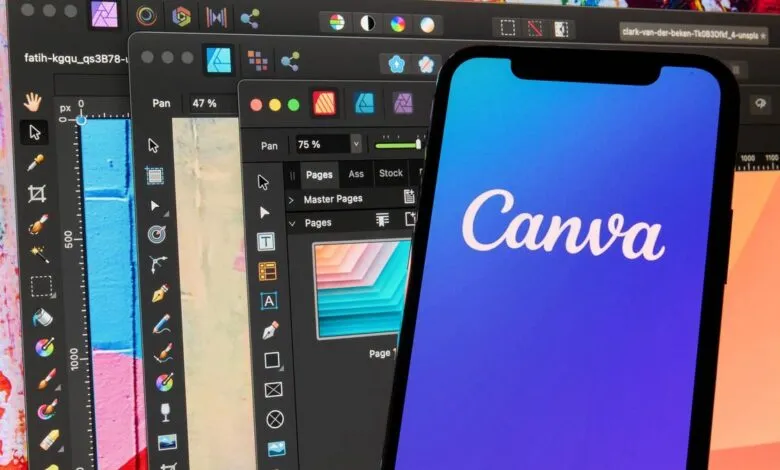
Everything shifted when Canva acquired Affinity in March 2024. Last month, Canva announced that all Affinity applications are now completely free, regardless of whether you hold a Canva subscription. Canva itself provides an extensive range of design and marketing features at no cost. If you upgrade to Canva Pro for $15 monthly, the Affinity tools unlock AI capabilities like generative fill, without usage restrictions.
It’s important to recognize that Canva and Creative Cloud serve different needs. Adobe’s suite includes advanced prepress features, professional color management, and powerful motion graphics tools like After Effects. However, since I no longer use Premiere and can accomplish my vector work in Affinity, much of what Creative Cloud offers goes unused in my case.
I’m not ready to part with Photoshop, the time investment required to relearn everything is too great. Fortunately, Adobe offers a Photography plan for $20 per month, which includes Photoshop and Lightroom. The catch? You only receive 25 generative AI credits each month. By contrast, a Canva Pro subscription provides unlimited AI features alongside video editing, brand management, templates, and mailing tools, all for just $15 monthly.
So, my new setup combines Photoshop for $20 and Canva Pro for $15, totaling $35, exactly half the cost of a full Creative Cloud subscription.
Adobe’s restrictions don’t stop at AI credits. Users are limited to installing their software on just two devices. I regularly work across three machines: an office desktop, a family room computer, and a laptop. Needing to deactivate one installation to use another feels unnecessarily cumbersome.
Adobe does offer a workaround: their Firefly Pro plan provides 4,000 AI credits for an extra $20 per month. That means accessing Photoshop with meaningful AI support would cost $40 monthly, while the full Creative Cloud suite runs $70.
I plan to test the $35 monthly combination of Canva, Affinity, and Photoshop. If it doesn’t work out, I can always resubscribe to Creative Cloud.
So, is this approach right for you? Here are my recommendations:
- Everyday creators and marketers: Canva covers design, publishing, and analytics. Affinity serves as a robust desktop editor for graphics, and you can add Photoshop for $20 if needed.
- Vector, layout, and photo editing: Affinity applications capably replace Illustrator, InDesign, and Photoshop for most professional tasks.
- High-performance and specialized tools: Your own toolkit will naturally differ. While Affinity Photo matches many of Photoshop’s features, I keep Photoshop for efficiency due to years of habit. Canva includes video editing, but I prefer Final Cut Pro for advanced projects. CleanShot X saves me time on annotations, though similar functions exist in Canva or Affinity.
The key takeaway? By combining subscription-based tools like Photoshop and Canva Pro with one-time purchase software, I’ve built a high-performance creative stack at a fraction of the cost.
What does your setup include? Are you committed to Creative Cloud, or do Canva’s free Affinity apps have you rethinking that monthly bill? Have you experimented with blending Canva and Photoshop, or are you considering a full break from Adobe? How much do AI tools factor into your workflow, and do limits like Adobe’s 25 monthly credits affect you?
(Source: ZDNET)